


Feeling Spread Thin: Why the Minimalist Approach Works
Many people believe that a great home office requires tons of equipment.
Big desk. Multiple monitors. Fancy gadgets. Shelves filled with books and gear.
But the truth is, too many things are an enemy of focus.
A minimal home office setup for productivity takes away everything that doesn’t facilitate your work. What’s left, then, is a clean, calm and intentional space — one that genuinely makes it easier to think clearly and accomplish tasks.
No matter if you’re a freelancer, remote worker, student or creative pro, this guide is for you. These six setups show that less really is more — and they work in real homes, real apartments and real budgets.
Let’s get into it.
What “Minimal” Truly Means in a Home Office
Minimal doesn’t mean empty. That doesn’t mean chilly or unwelcoming, though.
A minimal home office means everything in your space serves a purpose. No clutter. No distractions. No extra junk building up on your desk.
It’s about intentional design — selecting fewer but better things that genuinely align with how you work.
Here’s what makes a setup minimal versus having too much going on:
| Cluttered Office | Minimal Office |
|---|---|
| Many things with little purpose | Every item has earned its place |
| Cables running everywhere | Clean cable management |
| Stacks of paper and supplies on the desk | Only what you need for today on the surface |
| Lots of décor and visual noise | One or two intentional accents |
| Busy and overwhelming | Calm and focused |
Even the science supports this. A study published out of Princeton University found that visual clutter steals your focus and lessens the focus capacity available in your brain. A bare-bones setup eliminates that competition altogether.
Setup 1: The One-Screen Wonder
Who It’s Built For: Writers, Coders and Deep Focus Workers
The one-screen wonder is just what it sounds like. One monitor. One keyboard. One mouse. Nothing else on the desk.
This is among the most powerful minimal home office productivity setups for anyone whose work lives in a single app — writers in Google Docs, coders in VS Code, analysts in Excel.
The Gear List
- One monitor (24–27 inches at eye level, best on a monitor arm)
- One compact wireless keyboard
- One wireless mouse
- One cable management tray beneath the desk
- One small houseplant (optional but great to have)
That’s the full list. Nothing more.
The Case for One Monitor Over Two When You Want to Focus
Multiple monitors are good for multitasking — but multitasking is often just distraction masquerading as productivity.
By having just one screen, you make a deliberate choice about what’s on it. No second screen distracting your attention. No Slack window hovering just off-screen. No urge to scatter your attention.
According to research conducted by the University of California, Irvine, it takes an average of 23 minutes to fully refocus after a distraction. Removing a screen eliminates an entire layer of possible distraction from your day.
Pro Tip: Take advantage of a full-screen mode or focus app like Zen Mode (in VS Code) or Focus Mode (in Google Docs) to remove even the distractions on your screen.
Setup 2: The Bare Desk Blueprint
Who It’s Built For: Remote Workers Who Reset Daily
This setup is about starting every day of work from ground zero.
The bare desk blueprint means your desktop surface should always be completely empty at the start and end of each workday. Nothing stays on the desk forever — not your keyboard, not your mouse, and not even your monitor (if mounted on a retractable or folding arm).
It sounds extreme. But once people try it, they rarely turn back.
How the Daily Reset Works
| Time of Day | Desk State |
|---|---|
| Morning (before work) | Empty — set up only what you need |
| During work | Only active tools on the surface |
| End of workday | Everything cleared and stored |
| Evening/weekend | Completely bare desk |
What You Need to Make It Work
- A desk with at least one shallow drawer (to store keyboard and mouse)
- A monitor on a moveable or collapsible arm
- A cable management box to conceal wires
- A tray or caddy in the drawer for pens and stationery
The important thing to understand here is psychological. When your desk is clear, you don’t have the burden of unfinished work sitting there glaring at you at 9pm. The day is done. The desk proves it.
This is one of the most underrated minimal home office productivity setups to protect your mental health while working from home.
Setup 3: The Laptop-Only Powerhouse
Who It’s Built For: Flexible Workers, Travelers and Students
No monitor. No desktop. No docking station.
All it takes is a laptop, a good stand and the right accessories.
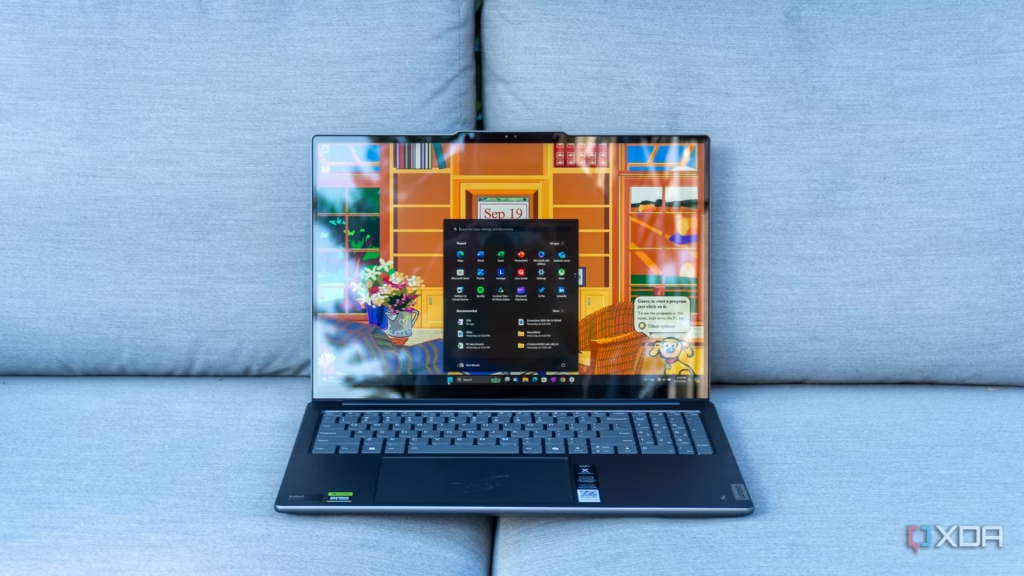
The laptop-only powerhouse is a minimalist home office productivity setup that works anywhere — a studio apartment, shared house or kitchen table. It is completely portable and surprisingly powerful.
How to Do Laptop-Only the Right Way
The biggest mistake most people make with laptop-only setups is that they hunch over the laptop screen. This destroys posture and causes neck pain within weeks.
The fix is simple. Invest in a laptop stand that raises your screen to eye level, then pair it with an external keyboard and mouse. It gives you perfect ergonomics without filling up your desk with a full monitor setup.
Gear Breakdown
| Item | Purpose | Budget Option |
|---|---|---|
| Laptop stand | Raises screen to eye level | Nexstand K2 (~$35) |
| Compact wireless keyboard | Comfortable typing | Logitech K380 (~$40) |
| Wireless mouse | Precision and comfort | Logitech M350 (~$30) |
| USB-C hub | Expands laptop ports | Anker 7-in-1 (~$35) |
| Laptop sleeve | Protection and portability | Any slim sleeve (~$15) |
Total: Under $160 for a full ergonomic setup.
Keeping It Truly Minimal
The urge with laptop setups is to continuously build onto it. A second screen here. A webcam there. A ring light. A USB mic.
Before long, you’ve become the very antithesis of minimal.
Limit it to the core four: stand, keyboard, mouse and hub. Include only what your actual work requires — not what looks good in a desk setup photo on Instagram.
Setup 4: The Standing Desk Minimalist
Who It’s Designed For: Health-Minded Desk Sitters
If you sit for at least six hours a day, your health is suffering — no matter how much you exercise.
This is precisely where the standing desk minimalist setup shines — it integrates movement into your workday. But it does so without turning your desk into a gadget graveyard.
The Minimal Standing Desk Formula
A bare-minimum standing desk doesn’t require a treadmill attachment, multiple balance boards or three monitor arms. It needs exactly this:
- One electric sit-stand desk (or a standing desk converter for your existing desk)
- One monitor at eye level
- One anti-fatigue mat
- Keyboard and mouse at elbow height when standing
- Zero clutter on the surface
That’s the complete setup.
Sit or Stand: Finding Your Balance
The point isn’t to stand all day. That creates its own problems — sore feet, tired legs and strain on the lower back.
The ideal balance is to alternate every 45–60 minutes.
| Time Block | Position |
|---|---|
| 9:00 AM – 9:45 AM | Standing |
| 9:45 AM – 10:30 AM | Sitting |
| 10:30 AM – 11:15 AM | Standing |
| 11:15 AM – 12:00 PM | Sitting |
| And so on… | Alternating throughout the day |
This is easy with a programmable sit-stand desk — you input your preferred heights, hit a button and switch in seconds.
Budget-Friendly Standing Desk Options
You don’t need a $1,200 desk for this to work. A standing desk converter — a device that sits atop your current desk, elevating your monitor and keyboard — costs $80 to $200 and works just as well for most people.
If you are looking for a complete roundup of desk setups centered around productivity and comfort, Remote Work Desk Setup covers everything from budget picks to premium options across all styles of setup.
Setup 5: The No-Color Minimal Studio
Who It’s Built For: Creatives, Designers and Aesthetically Driven Workers
Some people require their workspace to have aesthetic appeal in order to accomplish their best work. The monochrome minimal studio setup provides exactly that — a visually cohesive, distraction-minimizing environment that is as inspiring as it is functional.
The rule of thumb here is simple: choose one color family and only work within that.
White and wood are the usual choices. Some go for all-black or pale grey and cream. It’s not the palette that matters so much as the consistency.
Building Your Monochrome Setup
Desk surface: White or light wood — clear off completely except for active work tools.
Monitor: One screen with a matching bezel color (black or white frames both work great).
Accessories: Keyboard and mouse in the same color family. No bright cables. No mismatched gear.
Lighting: A plain desk lamp in matte black or white. Nothing too chunky or with an elaborate design.
One accent: One plant, one little sculpture or a clean notebook. Just one. Not five.
The Psychology of Visual Harmony
When everything you see matches up, your brain relaxes. There’s nothing visually jarring — no contrast pulling at your eye.
That’s why hotel rooms feel so peaceful. Everything is coordinated. Nothing is competing.
You can replicate that same experience in your home office by planning ahead and making some intentional purchases.
| Element | Monochrome Choice | Why It Helps |
|---|---|---|
| Desk color | White oak or matte black | Sets the tone for the whole space |
| Monitor | Matching bezel | Reduces visual noise |
| Keyboard + mouse | Same color family | Cohesive and clean |
| Lamp | Matte finish, single color | Focused and elegant |
| Cables | Cable tray or raceway | Hidden from view completely |
This is about as Instagram-worthy a minimal home office productivity setup as it gets — but more importantly, it actually works for those who love it.
Setup 6: The Minimalistic Productivity Desk
Who It’s Built For: Professionals Who Love to Stay Organized and Digital
Paper is one of the biggest offenders when it comes to desk clutter in a home office. Sticky notes. Printed documents. Random notebooks. Business cards. Bills.
The paper-free productivity desk eradicates all of it.
This setup goes fully digital — and it changes both your desk and your workflow.
What Goes Digital Instead
| Physical Item | Digital Replacement |
|---|---|
| Sticky notes | Notion, Apple Notes or Google Keep |
| Printed documents | Google Drive or Dropbox PDFs |
| Physical planner | Google Calendar or Todoist |
| Notebooks | Notion or Obsidian |
| Business cards | LinkedIn or digital card apps |
| Whiteboards | Miro or FigJam |
The Setup Itself
With no paper to clutter up your desk, everything stays very tidy. Here’s what stays:
- One monitor (or laptop on a stand)
- One keyboard and mouse
- One lamp
- A single small plant or accent piece
- A wireless charger embedded into or resting flat on the desk
No paper trays. No pen cups brimming with six pens and three highlighters. No stacks of notebooks.
Making the Transition
Going paper-free overnight is hard. Instead, do it in phases:
Week 1: Go completely digital with your to-do list and daily planning.
Week 2: Scan any valuable physical documents and dispose of the originals.
Week 3: Ditch your physical notebook for a week and use a digital notes app instead.
By the end of the month, you will have a new desk — and a new workflow to match.
According to a study by Fellowes, 77 percent of workers admitted they are more motivated to work in a clean and organised workspace — showing that your environment has a direct impact on your wellbeing and productivity.
Core Principles You Must Follow for Any Minimal Setup
No matter which setup you decide on, every great minimal home office productivity setup shares the same foundation.
Keep Only What You Truly Use
This sounds simple. It’s harder than it sounds.
Sweep through your desk right now. Pick up every single item. Ask: “Have I used this in the past week?” If the answer is no, it does not belong on your desk. Put it in storage or get rid of it entirely.
Manage Your Cables First
Nothing destroys a minimal aesthetic quite like a nest of cables under or behind your desk.
Invest in three things: a cable management tray that sits under the desk, velcro cable ties to group wires together and a cable raceway to run wires along the wall. Most cable issues can be solved for under $30.
Light Your Space Properly
A dark workspace feels cluttered even when it’s clean. A workspace with good lighting can feel expansive even in a compact area.
Use a combination of natural light (set your desk up by a window), a warm ambient light for the room and a focused task lamp pointed at you.
Your Chair Matters as Much as Your Desk
A minimal desk doesn’t mean a cheap or uncomfortable chair. Your chair is one of the most crucial pieces in your workspace. A decent ergonomic chair — even a simple one — supports your back, minimizes fatigue and allows you to work comfortably for longer.
A Quick Guide to Choosing Your Match
| Your Work Style | Best Minimal Setup |
|---|---|
| Deep focus, one task at a time | One-Screen Wonder |
| Need to fully disconnect after work | Bare Desk Blueprint |
| Work from multiple locations | Laptop-Only Powerhouse |
| Sit for long hours daily | Standing Desk Minimalist |
| Motivated by beautiful spaces | Monochrome Minimal Studio |
| Drowning in paper and clutter | Paper-Free Productivity Desk |
You don’t have to choose just one. A lot of these setups play nicely together. The paper-free desk fits perfectly with the monochrome minimal studio. The one-screen wonder pairs beautifully with the bare desk blueprint.
Combine and experiment with whatever feels right for your work and your space.
FAQs: Minimal Home Office Productivity Setups
Q1: Are minimal home office setups really more productive? Yes — and there’s actual science to support it. Visual clutter drains cognitive resources. When your workspace is tidy and intentional, your brain spends less energy sifting through distractions and more energy doing real work. Most people feel calmer, more focused and in control within their first week of using a minimal setup.
Q2: What minimal home office setup can be built at the lowest cost? The laptop-only powerhouse is the cheapest option if you already have a laptop. A stand plus a keyboard and mouse cost only $80–$100 altogether. If you are starting from scratch with no furniture, the floating shelf workstation is even less expensive.
Q3: What do I do to stop my minimal desk from getting cluttered again? The two-minute rule works well here. Every day before you walk away from your desk, spend two minutes putting things back in their designated place. Also apply a “one in, one out” rule — if you bring a new item to your desk, something else needs to be removed. Consistency is the only thing that keeps a minimal setup minimal.
Q4: I have lots of equipment — will a minimal home office still work? Absolutely. Minimalism isn’t about reducing how many tools you own — it’s about where they go. Use drawer organizers, cable trays, monitor arms and hidden storage to keep equipment accessible but out of sight. Even with all the drawers full, the desk surface remains clear.
Q5: Is a standing desk worth buying for a minimalist setup? It depends on how much you sit each day. If you work at a desk for six or more hours every day, an adjustable standing desk or converter is one of the best investments you can make. When going minimal, pick a desk with clean lines and an unobtrusive surface — nothing with built-in cable ports, cup holders or fancy features that add visual noise.
Q6: What color scheme works best for a minimal home office? Neutral palettes consistently perform best. White, light wood, soft grey, warm cream and matte black are the top picks. These colors don’t fight for your attention the way bright colors do. If you’re going to add color, do it with one small plant or a single accent item — not several competing hues spread all over your setup.
Q7: How do I make a minimal home office feel warm and not clinical? Include one natural element — a small plant, a wooden desk mat or a soft lamp with warm-toned light (2700K–3000K). These little touches add warmth without adding clutter. The aim is serene and inviting, not clinical and cold.
It Starts With One Decision
You don’t need to change everything about your workspace today.
Start with one thing. Clear your desk surface completely. Put everything in a box. Bring back only what you really need.
Try it out for a week and see how that feels.
That’s it. That’s the first step toward a minimal home office productivity setup that actually transforms how you work.
The setups in this guide aren’t about a nicer desk for pictures. They’re about taking away anything that makes you less efficient — so only you, your tools and your best work remain.
Pick one setup. Start today. Tweak as you figure out what works.
Your best working environment isn’t the one equipped with everything. It’s the one with precisely the right gear — and nothing more.






