

Let’s be honest.
Working from home is a thrill — until it isn’t.
One minute you’re dominating your to-do list in pajamas. The next, you’re staring at the wall at 2 PM, asking yourself why you haven’t done one thing since breakfast.
Sound familiar?
It’s not typically your work ethic that is the problem. It’s your environment.
Your workspace directly affects your brain’s performance. A messy, dark, uncomfortable setup saps your focus, your energy, and your motivation — so slowly and gradually that you often don’t even realize it’s happening.
And the solution need be neither costly nor complex.
To help you be as productive as possible working from home, this guide will take you through 7 simple yet effective home office productivity setups. All are practical, actionable, and designed for actual people operating on real budgets in realistic living situations.
Whether you’re new to the remote working experience or a home-office veteran who could use some fresh inspiration — there’s something here for you.
Let’s create your best workspace yet.
Does Your Home Office Meet the Minimum Standard?
Before we get to the setups, let’s start with what really goes wrong.
Most people furnish their home office like they’d decorate any room — for what fits, not what works. They drop a laptop on the kitchen table, pull up any nearby chair, and then wonder why they’re distracted and exhausted by noon.
Here’s what the research really tells us.
According to a study in the Journal of Environmental Psychology, workers whose environments were organized and personalized reported much higher levels of motivation and job satisfaction than those who worked in cluttered or impersonal spaces.
Lighting, ergonomics, levels of noise, and spatial organization all affect how your brain processes information and maintains attention.
In other words — your setup either helps or hinders you.
The 7 home office productivity setups below are designed to work for you — in every kind of home, at every budget.
Setup #1: The Clean Slate — A Workspace With No Clutter
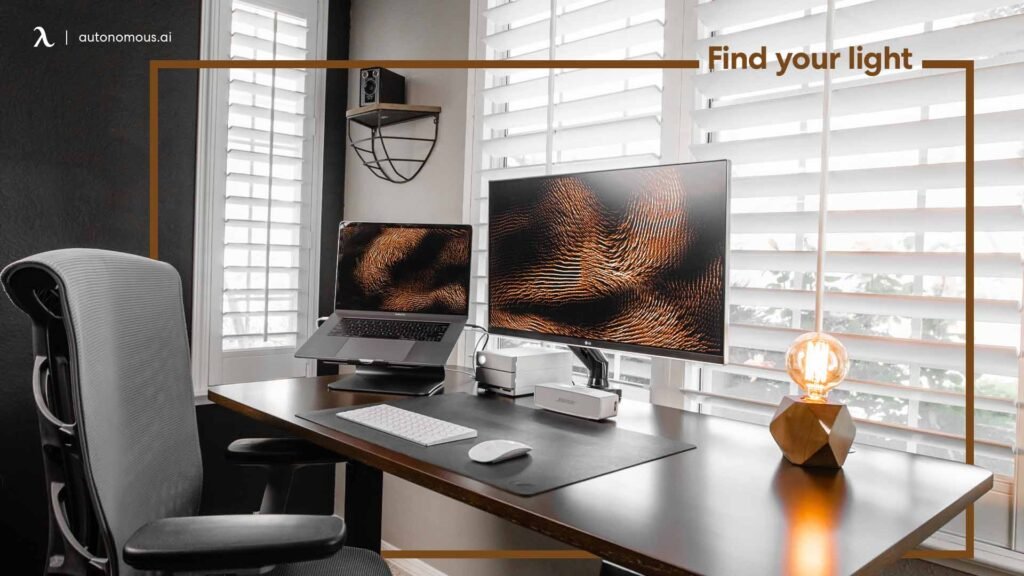
Best for: Those easily distracted by visual noise.
Why Clutter Is the Enemy of Focus
Your brain takes in everything it sees — even things you’re not consciously looking at.
When the desk is littered with papers, cables, empty cups, and random objects, your brain is working in the background to process it all. That’s mental energy you should be devoting to your actual work.
A zero-clutter workspace takes that issue off the table entirely.
How to Build It
Start by clearing everything off your desk. Completely clear it off.
Then only put back the items you use every single workday. For most people, that’s:
- A laptop or monitor
- A keyboard and mouse
- A notebook and one pen
- A water bottle or coffee cup
That’s your core setup. Everything else goes out of sight.
Use a small drawer unit, a storage box under the desk, or a nearby cabinet. If it’s not on your desk, it’s not cluttering your mind.
The Tools That Make It Work
| Item | Budget Pick | Estimated Cost |
|---|---|---|
| Desk organizer tray | Dollar store find | $3–$6 |
| Cable management clips | Velcro ties or adhesive hooks | $3–$8 |
| Desk drawer unit | IKEA ALEX or similar | $50–$80 |
| Minimal desk mat | Cork or fabric mat | $10–$20 |
| Total | $66–$114 |
One Habit That Keeps It Clean
Spend 90 seconds at the end of each workday resetting your desk. Return everything to its place. Wipe the surface down. Close any open notebooks.
When you sit down the next morning, you start fresh — mentally and physically.
This one habit makes a bigger difference than any expensive desk accessory will ever will.
Setup #2: The Vertical Powerhouse — Utilize Your Walls
Best for: Those with small desks or limited horizontal space.
Stop Thinking Horizontally
Most people start piling things on their desk when they run out of room. That’s the wrong direction.
Go up instead.
Vertical workspace design uses your walls to organize, store, and display everything you need — keeping your desk surface clean and your brain free of clutter.
What to Put on Your Walls
Pegboard Panel A pegboard hung above your desk is one of the best investments you can make for any home office setup. For around $15–$25, you get a fully customizable organizer that holds hooks, shelves, and bins. Reconfigure it whenever your needs change.
Floating Shelves Install one or two shelves above your pegboard for books, storage boxes, a small speaker, or decorative items that make the space feel personal without cluttering the desk.
Whiteboard or Corkboard Hang a whiteboard or corkboard at eye level for project notes, to-do lists, deadlines, and reminders. Getting tasks out of your head and onto a visible surface reduces mental load significantly.
Setup Cost Breakdown
| Item | Budget Pick | Estimated Cost |
|---|---|---|
| Pegboard (2’×4′) | Hardware store standard | $12–$22 |
| Pegboard hooks set | Assorted pack | $8–$14 |
| Floating shelves (x2) | IKEA LACK or similar | $15–$30 |
| Whiteboard | Small wall-mount board | $12–$20 |
| Mounting hardware | Screws, anchors | $4–$8 |
| Total | $51–$94 |
The Hidden Benefit Nobody Talks About
When everything has a designated home on your wall, you stop wasting time looking for things.
No more rummaging through desk drawers for a charger. No more searching for that sticky note with the important phone number. Everything is visible, organized, and within reach.
That saved time — even just 5–10 minutes a day — adds up to hours over the course of a month.
Setup #3: The Ergonomic Edge — Work Comfortably for Longer
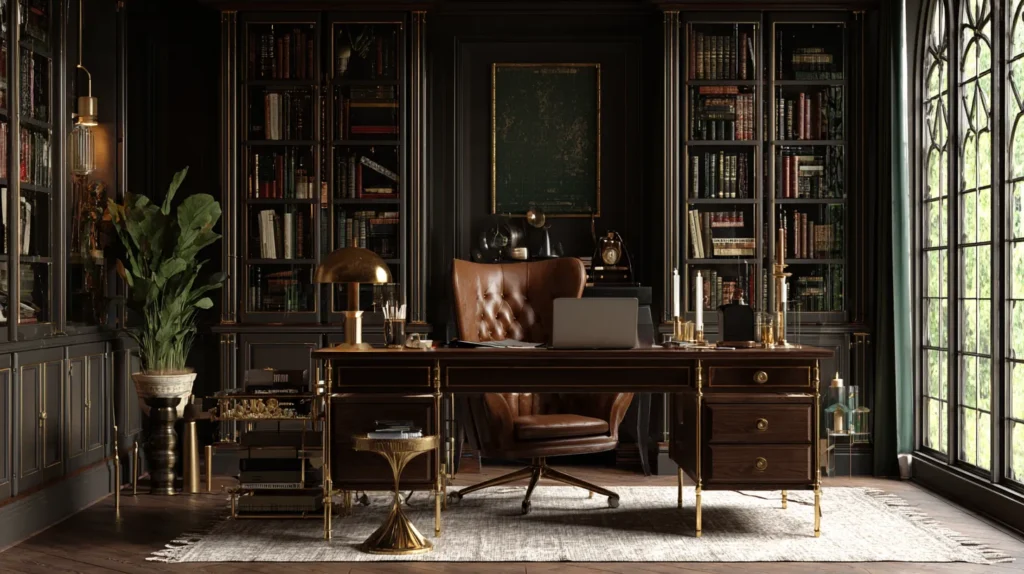
Best for: Anyone experiencing back pain, neck strain, or fatigue during the workday.
The Hidden Cost of a Bad Chair
Here’s a number that might surprise you.
Musculoskeletal disorders — including back and neck pain — are among the most common causes of missed workdays in the United States, according to the Bureau of Labor Statistics.
Poor posture from bad home office setups is a major contributor.
When you’re physically uncomfortable, your brain diverts energy toward managing that discomfort. Focus drops. Frustration rises. Productivity crumbles.
The good news? You don’t need a $1,500 ergonomic chair to fix this.
The Core Ergonomic Principles
Follow these three rules and you’ll be miles ahead of most home workers:
Rule 1: Eyes at screen level Your monitor should be at eye level or very slightly below. Looking down or up at a screen all day strains your neck. Use a monitor riser, a stack of books, or a monitor arm to adjust height.
Rule 2: Elbows at 90 degrees When your hands are on the keyboard, your elbows should form a rough right angle. This means your chair height and desk height need to work together.
Rule 3: Feet flat on the floor Don’t sit with your feet dangling or tucked under you. Flat feet reduce lower back strain dramatically.
Budget Ergonomic Setup
| Item | Budget Pick | Estimated Cost |
|---|---|---|
| Secondhand office chair | Facebook Marketplace find | $25–$60 |
| Monitor riser | DIY books or $10 riser | $0–$15 |
| Lumbar cushion | Basic foam support | $12–$20 |
| Footrest | Rolled yoga mat or $10 option | $0–$12 |
| Wrist rest for keyboard | Gel wrist pad | $8–$15 |
| Total | $45–$122 |
One Upgrade Worth Every Penny
If there’s one ergonomic item you should spend money on, make it a quality secondhand office chair.
Genuine office chairs — brands like Herman Miller, Steelcase, or even older corporate models found on Facebook Marketplace or Craigslist — offer lumbar support and adjustability that cheap new chairs simply can’t match, often for far less money.
Setup #4: The Light Lab — How Lighting Can Transform Everything
Best for: Anyone working long hours, experiencing eye strain, or feeling sluggish during the workday.
Your Lighting Setup Is Affecting Your Mood
This one surprises a lot of people.
Light isn’t just about being able to see what you’re doing. It directly influences your body’s production of cortisol (the alertness hormone) and melatonin (the sleep hormone).
Bright, cool white light during the morning hours boosts energy and alertness. Warm, dim light in the afternoon and evening supports winding down.
Most home offices have this completely backwards — dim, yellowish light in the morning and harsh overhead light all day.
The Three-Light Rule
The best home office lighting uses three sources:
1. Natural light (primary) Position your desk so natural light comes from the side — not directly in front of or behind your screen. Side lighting reduces glare and provides the most balanced, comfortable illumination.
2. Task light (secondary) A good desk lamp fills in shadows and reduces eye strain during close-up work. Look for a lamp with adjustable color temperature — warm for relaxed work, cool white for high-focus tasks.
3. Ambient light (background) LED strip lights behind your monitor or under a shelf reduce the harsh contrast between a bright screen and a dark room — one of the leading causes of digital eye strain. According to the American Optometric Association, poor lighting and screen glare are among the top contributors to digital eye strain in remote workers.
Lighting Setup Cost Breakdown
| Item | Budget Pick | Estimated Cost |
|---|---|---|
| Adjustable desk lamp | LED with color temp control | $18–$35 |
| LED strip lights | Adhesive-back LED strip | $10–$18 |
| Smart bulb (overhead) | Govee or similar | $8–$15 |
| Total | $36–$68 |
The Afternoon Energy Trick
Here’s a simple lighting hack that most people miss.
Around 2–3 PM, when the afternoon energy slump sets in, switch your desk lamp to its brightest and coolest white setting. Open any nearby blinds or curtains.
The increase in bright light signals to your brain that it’s still daytime and actively suppresses the mid-afternoon melatonin dip. Many people find this works just as well as a coffee — without the crash later.
Setup #5: The Sound Shield — Organizing Your Audio Environment
Best for: Anyone working in a noisy home, shared apartment, or near family or roommates.
Noise Is a Productivity Killer — But Not How You Think
Most people assume silence is the gold standard for focus. For some tasks, it is.
But research from Cambridge Sound Management found that speech intelligibility — being able to make out words in nearby conversations — is the specific type of noise most damaging to concentration. Background music or consistent ambient sound, on the other hand, can actually boost focus for many people.
The goal isn’t total silence. It’s controlled audio.
Three Layers of Sound Control
Layer 1: Block out the bad stuff Use noise-canceling earbuds or headphones to eliminate intrusive sounds. Budget options like SoundPEATS or Anker Soundcore deliver solid noise isolation for under $30.
Layer 2: Replace it with good sound Play consistent background audio that masks ambient noise without becoming a distraction itself. Options that work well:
- Lo-fi hip hop or instrumental music
- Brown noise or pink noise
- Binaural beats (particularly good for deep focus work)
- Coffee shop ambient sound (try Coffitivity — it’s free)
Layer 3: Treat your room Hard surfaces reflect sound and create echo, making it harder to focus and more tiring to work in. Soft surfaces absorb sound. Rugs, curtains, cushions, and bookshelves all reduce ambient echo. If your home office sounds hollow or loud, adding soft furnishings makes a real difference.
Sound Shield Setup Costs
| Item | Budget Pick | Estimated Cost |
|---|---|---|
| Budget earbuds/headphones | SoundPEATS or Anker | $20–$35 |
| White/brown noise app | myNoise or Noisli (free/paid) | $0–$10 |
| Area rug | Secondhand or budget option | $20–$50 |
| Curtains | Basic curtain panels | $15–$30 |
| Total | $55–$125 |
Setup #6: The Focus Ritual Station — Triggering Your Brain for Deep Work
Best for: Creative professionals, writers, developers, and anyone who struggles to “switch on” work mode at home.
Why Starting Work at Home Is So Hard
At a traditional office, the very act of arriving puts your brain into work mode. The commute acts as a mental transition. The environment signals: this is where work gets done.
At home, there’s no transition. You tumble out of bed, and suddenly you’re supposed to be in deep focus mode. It doesn’t work that way.
The Focus Ritual Station solves this by creating deliberate, sensory-based cues that tell your brain: work is starting now.
Building Your Ritual Triggers
The brain learns through repetition. If you carry out the same sequence of actions before every deep work session, your brain begins to associate those actions with focus — and starts producing the right mental state automatically.
Here’s a proven five-step ritual sequence:
| Step | Action | Why It Works |
|---|---|---|
| 1 | Put on dedicated “work” headphones | Creates an audio barrier and focus signal |
| 2 | Play your consistent background sound | Trains brain to associate sound with focus |
| 3 | Light a candle or start a scent diffuser | Scent is the strongest memory trigger in the brain |
| 4 | Write today’s top 3 priorities in your notebook | Clarifies intention and activates planning mode |
| 5 | Start a 25-minute focus timer | Creates urgency and closes the door to distraction |
Repeat this exact sequence every time you start a deep work block. Within two to three weeks, just putting on your headphones will start triggering the focus state automatically.
Ritual Station Setup Costs
| Item | Budget Pick | Estimated Cost |
|---|---|---|
| Dedicated headphones | Over-ear wired or wireless | $20–$40 |
| Candle or essential oil diffuser | Basic plug-in diffuser | $8–$18 |
| Essential oils (focus scents) | Peppermint, rosemary, citrus | $6–$12 |
| Paper notebook | Dotted or lined journal | $5–$12 |
| Simple timer | Phone app or $5 cube timer | $0–$8 |
| Total | $39–$90 |
Setup #7: The Flex Office — A Setup That Adapts to Every Workday
Best for: Those with multiple projects, various types of work, or hybrid work schedules.
Not Every Workday Is the Same
Some days you have to write for four hours straight. Some days are dominated by video calls. On some mornings you feel energized and ready for deep focus work. There are afternoons where only light tasks will do.
A rigid, single-purpose workspace can’t serve all those needs well.
The Flex Office is all about adaptability. It gives you distinct “modes” to switch between — changing the environment to match the type of work you need to do.
The Three Work Modes
Mode 1: Deep Focus Mode For writing, coding, designing, or any task requiring sustained concentration. Activate it by: clearing your desk completely, switching to warm and dim lighting, putting on noise-canceling headphones with focus music, and closing all unnecessary apps and browser tabs.
Mode 2: Communication Mode For video calls, phone meetings, or collaborative work. Activate it by: checking your background on camera (keep it clean and professional), switching to bright and even lighting, adjusting your monitor to straight-ahead position for eye contact, and keeping a glass of water nearby.
Mode 3: Light Tasks Mode For emails, scheduling, admin, reading, or low-energy work. Activate it by: allowing some background noise, using a lap desk or alternate seating position, keeping your phone nearby, and working in shorter and more flexible time blocks.
Flex Office Setup Investment
| Item | Budget Option | Estimated Cost |
|---|---|---|
| Lap desk (for alternate positions) | Cushioned lap board | $18–$30 |
| Ring light or clip-on light (calls) | Small LED ring light | $12–$22 |
| Portable laptop stand | Foldable aluminum stand | $15–$25 |
| Background or wall décor (calls) | Simple shelf or neutral backdrop | $10–$25 |
| Wireless keyboard and mouse | Budget Bluetooth set | $25–$40 |
| Total | $80–$142 |
The Mode-Switch Habit
The key to the Flex Office is making mode switches intentional and physical.
Don’t just mentally say “I’m going to do deep work now.” Actually change something in your environment. Move an object. Change the lighting. Put on your headphones. The physical action triggers the mental shift.
This is sometimes called an “environmental anchor” — and it is one of the most powerful low-cost productivity tools available to any home worker.
At a Glance: How All 7 Setups Compare
| Setup | Best For | Approx. Cost | Difficulty to Build |
|---|---|---|---|
| Clean Slate | Distraction-prone workers | $66–$114 | Easy |
| Vertical Powerhouse | Small desk, limited space | $51–$94 | Moderate |
| Ergonomic Edge | Back/neck pain, long hours | $45–$122 | Easy |
| Light Lab | Eye strain, energy slumps | $36–$68 | Easy |
| Sound Shield | Noisy home environments | $55–$125 | Easy |
| Focus Ritual Station | Creative and deep focus work | $39–$90 | Easy |
| Flex Office | Varied daily work types | $80–$142 | Moderate |
5 Small Things That Make Every Setup Better
Regardless of which setup you choose, these five additions consistently improve any home office productivity setup:
- A real plant — Even one small pothos or succulent improves air quality and reduces psychological stress. Plants in workplaces have been linked to measurable mood and focus improvements.
- A dedicated work playlist — Consistency matters more than the playlist itself. The same music every workday trains your brain’s focus response over time.
- A printed weekly schedule — Having your week visible on paper (not just in an app) gives your brain a clear overview and reduces decision fatigue throughout the day.
- A “shutdown ritual” — A consistent end-of-day routine — closing tabs, writing tomorrow’s top three tasks, and tidying your desk — signals to your brain that work is truly done. This is one of the most powerful ways to protect your mental health while working from home.
- Natural elements — Wood surfaces, stone accessories, or natural light all contribute to what researchers call a “restorative environment” — one that restores your mental energy rather than drains it. Remote Work Desk Setup is worth bookmarking for workspace design principles, layout ideas, and gear recommendations.
What to Do When Your Setup Still Isn’t Working
Sometimes you can follow all the right advice and still struggle. Here’s how to troubleshoot:
Problem: Still getting distracted Solution: Look at your digital environment — not just your physical one. Website blockers like Freedom or Cold Turkey eliminate digital distractions that no desk setup can fix.
Problem: Feeling isolated and unmotivated Solution: Try a virtual co-working session. Apps like Focusmate pair you with a real person for body-doubling work sessions — the social accountability dramatically boosts follow-through.
Problem: Afternoon energy crashes Solution: Consider your lighting (Setup #4) and movement habits. A short 5–10 minute walk outside in the early afternoon resets your circadian rhythm better than any energy drink.
Problem: Work bleeding into personal time Solution: Establish a hard “shutdown ritual” and adhere to it at the same time each day. As productivity researcher Cal Newport suggests, the psychological boundary between work and rest is the most important factor in long-term remote work sustainability.
Frequently Asked Questions About Home Office Productivity Setups
Q: Do I need a dedicated room for a productive home office setup? No. Many highly productive remote workers operate from a desk in a corner, a section of their bedroom, or even a kitchen table with the right setup. Dedicated space can help — but what matters more is intentional design and consistent habits.
Q: What’s the single best first step to improving my home office productivity setup? Fix your lighting first. It’s the fastest, cheapest, and most impactful change you can make. Good lighting reduces eye strain, improves mood, and signals wakefulness to your brain — all without spending more than $20–$40.
Q: How do I stay productive in a home office with kids or family around? Set and clearly communicate work hours. Use visual signals (headphones on, a door sign, or a colored flag system) to indicate focus time. The Sound Shield setup is particularly helpful for managing noise from others in the home.
Q: Is it better to work in silence or with background music? It depends on the task. Research suggests that consistent, non-lyrical background sound — like lo-fi music, brown noise, or ambient café sounds — improves focus on creative and analytical tasks. Silence tends to work better for heavy reading or tasks requiring verbal processing.
Q: How often should I change or update my home office setup? Reassess your setup every three to six months. Your work type, workload, and needs change over time. A setup that worked perfectly when your work was primarily writing may not serve you as well if you shift to more video calls or collaborative projects.
Q: What’s the cheapest way to make a big improvement to my home office productivity setup? Declutter. Clear everything off your desk and only return the essentials. This costs nothing and delivers immediate improvements in focus and calm. Pair it with the 90-second daily reset habit and you’ve transformed your workspace for free.
Q: Can a home office setup really improve my mental health? Yes — and the evidence is strong. Researchers at the University of Exeter found that workers who had control over the design of their workspace reported productivity gains of up to 32% and significantly higher wellbeing scores. Your environment shapes your mental state more than most people realize.
Putting It All Together
Here’s the bottom line.
A great home office productivity setup isn’t about having the latest gear, the most Instagram-worthy desk, or the biggest monitor.
It’s about creating an environment that supports the way your brain works — one that reduces friction, eliminates distraction, and makes it easy to do your best work day after day.
The 7 setups in this guide each solve a different problem. Pick the one that addresses your biggest pain point right now and start there. You don’t need to overhaul everything at once.
Build the Clean Slate if clutter is your enemy. Invest in the Ergonomic Edge if your body is complaining by noon. Create the Focus Ritual Station if you struggle to mentally “start” your workday.
One good change leads to another. A better workspace leads to better habits. Better habits lead to better results.
Start today. Start small. Start with one thing.
Your best work-from-home days are still ahead of you.
Focus keyword: home office productivity setups






