


There’s a quiet truth about productivity that often gets overlooked: your environment does more thinking for you than you realize. A cluttered desk can quietly drain your focus, while a well-structured one can turn even the most demanding workload into something manageable. The way your desk is set up influences your posture, your attention span, your mental clarity, and even your decision-making.
This isn’t about expensive gear or aesthetic perfection. It’s about small, intentional adjustments that reduce friction in your day. The following eight desk setup hacks are practical, adaptable, and designed to create a workspace that works with you—not against you.
hack 1: define clear zones for specific tasks
Most desks fail not because they lack space, but because they lack structure. When everything shares the same surface without purpose, your brain wastes energy deciding where things belong.
Think of your desk as a miniature workspace ecosystem. Divide it into functional zones:
- primary zone: keyboard, mouse, monitor — your main work area
- reference zone: notebook, planner, documents
- support zone: phone, water bottle, chargers
- storage zone: drawers or containers
This reduces micro-decisions throughout your day. Instead of searching or shifting items, your hands move automatically.
Here’s a simple zoning layout:
| Zone Name | Purpose | Example Items |
|---|---|---|
| Primary Zone | Active work | Laptop, keyboard, mouse |
| Reference Zone | Quick access thinking tools | Notebook, sticky notes |
| Support Zone | Passive support items | Phone stand, water bottle |
| Storage Zone | Rarely used items | Cables, files, accessories |
A well-zoned desk creates a sense of order that translates directly into mental clarity. It’s subtle, but over time, it reduces cognitive load significantly.
hack 2: elevate your screen to eye level

Neck strain is one of the most common productivity killers, and it builds gradually. Looking down at a screen for hours causes fatigue, poor posture, and eventually reduced focus.
Your monitor should sit at eye level so your neck remains neutral. If you’re using a laptop, consider elevating it with a stand and using an external keyboard.
Benefits of proper screen positioning:
- reduces neck and shoulder tension
- improves breathing posture
- increases focus duration
- prevents long-term strain
A quick posture comparison:
| Setup Type | Neck Position | Fatigue Level | Focus Impact |
|---|---|---|---|
| Screen too low | Bent forward | High | Reduced |
| Eye-level screen | Neutral | Low | Improved |
You don’t need expensive equipment. Even a stack of books can work as a temporary solution. The key is alignment, not aesthetics.
hack 3: optimize lighting for energy and focus
Lighting has a direct effect on your alertness. Poor lighting can make you feel tired even when you’re not.
Natural light is ideal, but when that’s not available, layering artificial light helps:
- ambient light: general room lighting
- task light: focused desk lamp
- accent light: soft background light to reduce eye strain
Avoid harsh overhead lighting alone. It creates shadows and contrast that strain your eyes.
Lighting setup comparison:
| Lighting Type | Effect on Eyes | Energy Levels | Recommended Use |
|---|---|---|---|
| Dim lighting | Strain | Low | Avoid |
| Harsh overhead | Glare | Medium | Limit use |
| Layered lighting | Comfortable | High | Ideal |
Position your light source opposite your dominant hand to avoid shadows while writing or typing.
hack 4: reduce cable clutter for mental clarity
Messy cables are more than a visual annoyance—they create subconscious stress. Your brain registers clutter as unfinished business.
Simple cable management fixes:
- use cable clips or ties
- route cables behind the desk
- label important cords
- use a cable box for power strips
Impact of cable organization:
| Desk Condition | Visual Noise | Stress Level | Efficiency |
|---|---|---|---|
| Cable clutter | High | High | Low |
| Organized cables | Low | Low | High |
When your desk looks clean, your brain feels less overwhelmed. It’s a surprisingly powerful effect.
hack 5: keep only essential tools within reach
Accessibility determines efficiency. If you have to reach, search, or stand up repeatedly, your workflow gets interrupted.
The rule is simple: if you use it daily, it should be within arm’s reach. If not, store it away.
Daily essentials might include:
- keyboard and mouse
- notebook or planner
- pen holder
- water bottle
Everything else should be stored to avoid visual overload.
Frequency-based organization:
| Usage Frequency | Placement |
|---|---|
| Hourly | On desk, within reach |
| Daily | Desk edge or organizer |
| Weekly | Drawer or shelf |
| Rarely | Storage away from desk |
This keeps your workspace functional without becoming crowded.
hack 6: introduce a minimal vertical setup
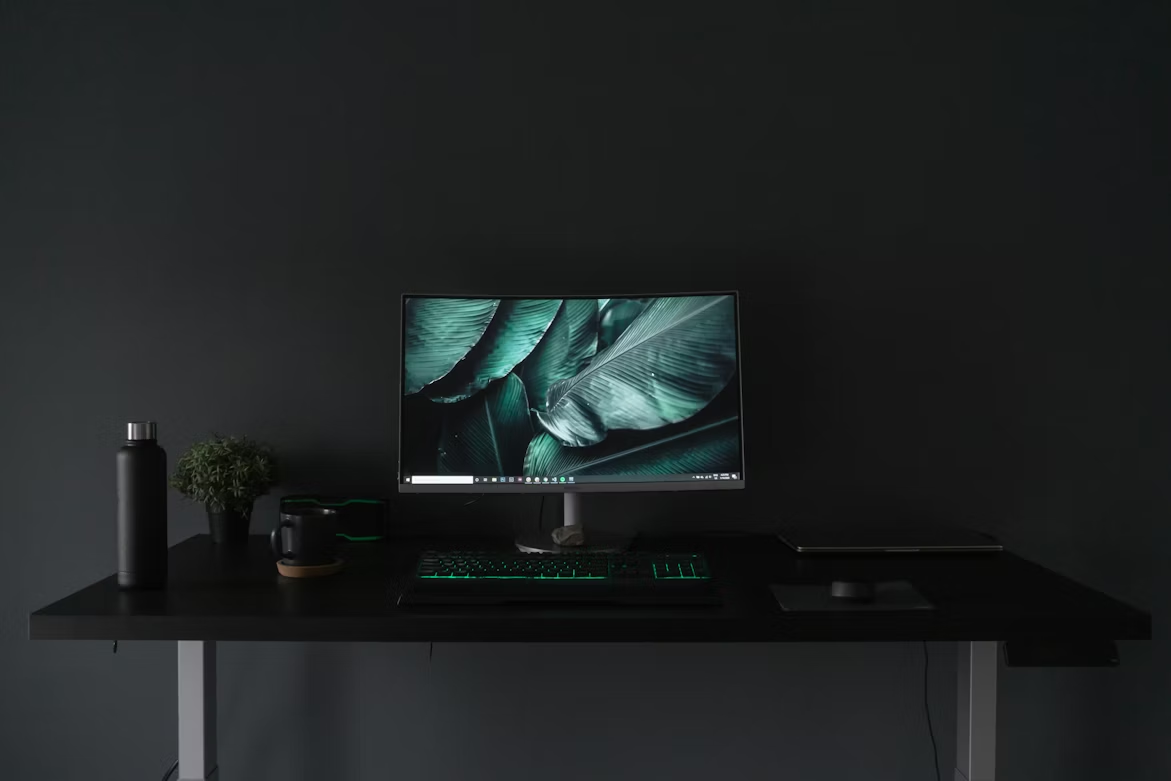
Desks have limited horizontal space, but vertical space is often underused.
Adding vertical elements like monitor stands, shelves, or pegboards can free up desk space while keeping items accessible.
Examples of vertical upgrades:
- monitor riser with storage underneath
- wall-mounted shelf above desk
- pegboard for tools and accessories
Benefits:
- increases usable space
- improves organization
- reduces clutter on the desk surface
Vertical vs horizontal usage:
| Setup Style | Space Efficiency | Clutter Level | Accessibility |
|---|---|---|---|
| Flat-only desk | Low | High | Medium |
| Vertical setup | High | Low | High |
Think upwards, not just outwards.
hack 7: personalize your space without overloading it
A completely sterile desk can feel uninspiring, but too many personal items can become distracting.
The goal is controlled personalization—just enough to make the space feel yours.
Good personalization ideas:
- a single plant
- one framed photo
- a calming object or texture
- a subtle color theme
Avoid turning your desk into a display shelf.
Balance guide:
| Personalization Level | Mood Impact | Focus Impact |
|---|---|---|
| None | Cold | Neutral |
| Balanced | Motivating | Positive |
| Excessive | Distracting | Negative |
A touch of personality can boost mood and make long work sessions more enjoyable.
hack 8: create a daily reset routine
Even the best setup falls apart without maintenance. A 2–5 minute reset at the end of each day keeps your desk functional.
Simple reset checklist:
- return items to their zones
- clear unnecessary papers
- wipe the surface
- organize cables if needed
- prepare essentials for next day
Daily reset impact:
| Habit Consistency | Desk Condition | Morning Readiness |
|---|---|---|
| None | Messy | Low |
| Occasional | Mixed | Medium |
| Daily | Clean | High |
Starting your day with a clean desk reduces resistance and helps you get into work faster.
workflow upgrade summary chart
Here’s a consolidated view of how each hack contributes to your workflow:
| Hack Number | Focus Improvement | Physical Comfort | Time Efficiency |
|---|---|---|---|
| 1 (Zones) | High | Medium | High |
| 2 (Screen) | Medium | High | Medium |
| 3 (Lighting) | High | Medium | Medium |
| 4 (Cables) | Medium | Low | Medium |
| 5 (Essentials) | High | Medium | High |
| 6 (Vertical) | Medium | Low | High |
| 7 (Personal) | Medium | Medium | Low |
| 8 (Reset) | High | Low | High |
common mistakes to avoid
Even with the best intentions, certain habits can undermine your desk setup:
- overloading with gadgets you rarely use
- prioritizing aesthetics over functionality
- ignoring ergonomics
- skipping maintenance routines
- placing distractions within reach
Avoiding these pitfalls is just as important as applying the hacks.
long-term benefits of a smart desk setup
A well-optimized desk doesn’t just improve your current workflow—it compounds over time.
You may notice:
- reduced fatigue after long work sessions
- improved focus and fewer distractions
- faster task completion
- better posture and fewer aches
- increased motivation to start work
These changes are gradual but meaningful. The goal isn’t perfection—it’s consistency.
faqs
- how often should I reorganize my desk setup?
A light reset should happen daily, but a deeper reorganization can be done every 2–4 weeks depending on how your needs evolve. - do I need expensive equipment for a better desk setup?
No. Most improvements come from positioning, organization, and habits rather than costly tools. - what is the ideal desk size for productivity?
There’s no perfect size, but enough space to comfortably separate your primary and reference zones is key. - how do I keep my desk clean long-term?
Consistency matters more than effort. A quick daily reset prevents clutter from building up. - is a minimalist desk always better?
Not necessarily. A functional desk that supports your workflow is more important than strict minimalism. - can a desk setup really affect productivity that much?
Yes. Your environment influences your behavior, focus, and energy levels more than most people realize.
A smart desk setup isn’t about chasing trends or copying someone else’s workspace. It’s about understanding how you work and shaping your environment to support that. Small adjustments—done thoughtfully—can transform not just your desk, but the way you approach your entire day.