


There is a quiet power in simplicity. Walk into a workspace that feels calm, intentional, and uncluttered, and something shifts almost immediately. Your shoulders relax. Your thoughts stop competing for attention. The work in front of you becomes clearer, lighter, and somehow more achievable. Minimal desk setups are not about owning less for the sake of it—they are about removing friction between you and your focus.
In a world saturated with distractions, your desk is either your greatest ally or your biggest obstacle. Notifications, scattered papers, unnecessary gadgets, tangled wires—each element pulls a small thread of attention. Over time, those threads unravel your productivity.
This article explores five minimal desk setups designed to boost focus instantly. Each setup is built around a different working style, so you can choose what resonates most with you. Along the way, you’ll find practical insights, comparison tables, and small adjustments that can make a surprisingly big difference.
the psychology behind minimal workspaces
Before diving into the setups, it helps to understand why minimalism works so well for focus.
Your brain is constantly scanning your environment for stimuli. Every object in your visual field competes for attention—even if you think you are ignoring it. A cluttered desk increases cognitive load, meaning your brain has to work harder just to filter out irrelevant information.
Here’s a simple breakdown:
| Workspace Condition | Cognitive Load | Focus Level | Mental Fatigue |
|---|---|---|---|
| Cluttered Desk | High | Low | High |
| Semi-Organized | Medium | Medium | Medium |
| Minimal Desk | Low | High | Low |
Minimal setups reduce decision fatigue, eliminate visual noise, and create a mental boundary that tells your brain: this is a place for deep work.
Now let’s explore the five setups.
setup one: the clean slate desk
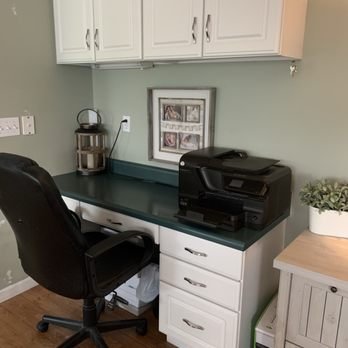
This is the purest form of minimalism. The clean slate desk removes everything except the absolute essentials needed for the task at hand.
What it looks like:
A desk surface with only a laptop or monitor, a keyboard, and possibly a single notebook. No decorations. No extra devices. No visual clutter.
Key elements:
- One primary device (laptop or desktop)
- One input tool (keyboard/mouse)
- One optional notebook and pen
- Neutral color palette
Why it works:
The absence of visual distractions allows your brain to lock onto a single task. There is nothing else to look at, nothing else to process.
Best for:
- Writers
- Programmers
- Students studying dense material
- Anyone practicing deep work
Practical layout example:
| Item | Placement | Purpose |
|---|---|---|
| Laptop | Center | Primary work tool |
| Notebook | Right side | Quick thoughts/notes |
| Pen | On notebook | Accessibility |
Tips to implement:
- Clear your desk completely before starting work
- Store non-essential items in drawers or boxes
- Use a single color scheme (black, white, or wood tones)
Common mistake:
People often think minimal means empty forever. In reality, this setup works best when you intentionally add only what you need for the current task—and remove it afterward.
setup two: the functional minimal desk
This setup introduces a slight upgrade: everything on the desk serves a purpose, but nothing exists purely for decoration.
What it looks like:
A tidy desk with carefully selected tools—each one earning its place.
Key elements:
- Monitor or laptop
- Keyboard and mouse
- Desk lamp
- Small organizer
- Minimal cable management
Why it works:
It balances simplicity with functionality. You don’t need to leave your desk to find essentials, but you’re not overwhelmed either.
Best for:
- Remote workers
- Designers
- Office professionals
- Multitaskers who need a few tools accessible
Functional layout example:
| Item | Placement | Function |
|---|---|---|
| Monitor | Center | Visual focus |
| Keyboard | Directly in front | Input efficiency |
| Lamp | Left side | Lighting control |
| Organizer | Right corner | Small items storage |
Focus benefits comparison:
| Factor | Clean Slate | Functional Minimal |
|---|---|---|
| Visual Simplicity | Very High | High |
| Accessibility | Medium | High |
| Flexibility | Medium | High |
Tips to implement:
- Keep only tools you use daily
- Hide cables using clips or sleeves
- Choose compact versions of tools
Common mistake:
Adding “just one more useful item” repeatedly. Over time, this turns into clutter disguised as productivity.
setup three: the nature-inspired minimal desk
This setup introduces a subtle but powerful element: nature. It remains minimal but includes organic elements that reduce stress and enhance focus.
What it looks like:
A clean desk with one or two natural items—such as a plant or wooden textures.
Key elements:
- Primary device
- Minimal accessories
- One plant or natural object
- Soft lighting
Why it works:
Exposure to natural elements has been shown to improve concentration and reduce mental fatigue. Even a small plant can create a calming effect.
Best for:
- Creative professionals
- People working long hours
- Anyone prone to stress or burnout
Nature-inspired layout:
| Element | Type | Effect on Focus |
|---|---|---|
| Plant | Small desk plant | Reduces stress |
| Desk material | Wood/neutral | Warmth and calmness |
| Light | Warm tone | Less eye strain |
Psychological impact table:
| Element | Emotional Effect | Productivity Impact |
|---|---|---|
| Greenery | Calmness | Moderate boost |
| Natural light | Alertness | High boost |
| Wood textures | Comfort | Subtle boost |
Tips to implement:
- Choose low-maintenance plants
- Avoid overcrowding with multiple decorative items
- Keep colors soft and neutral
Common mistake:
Turning this into a decorative desk. One or two natural elements are enough—more than that defeats the purpose.
setup four: the digital minimal desk
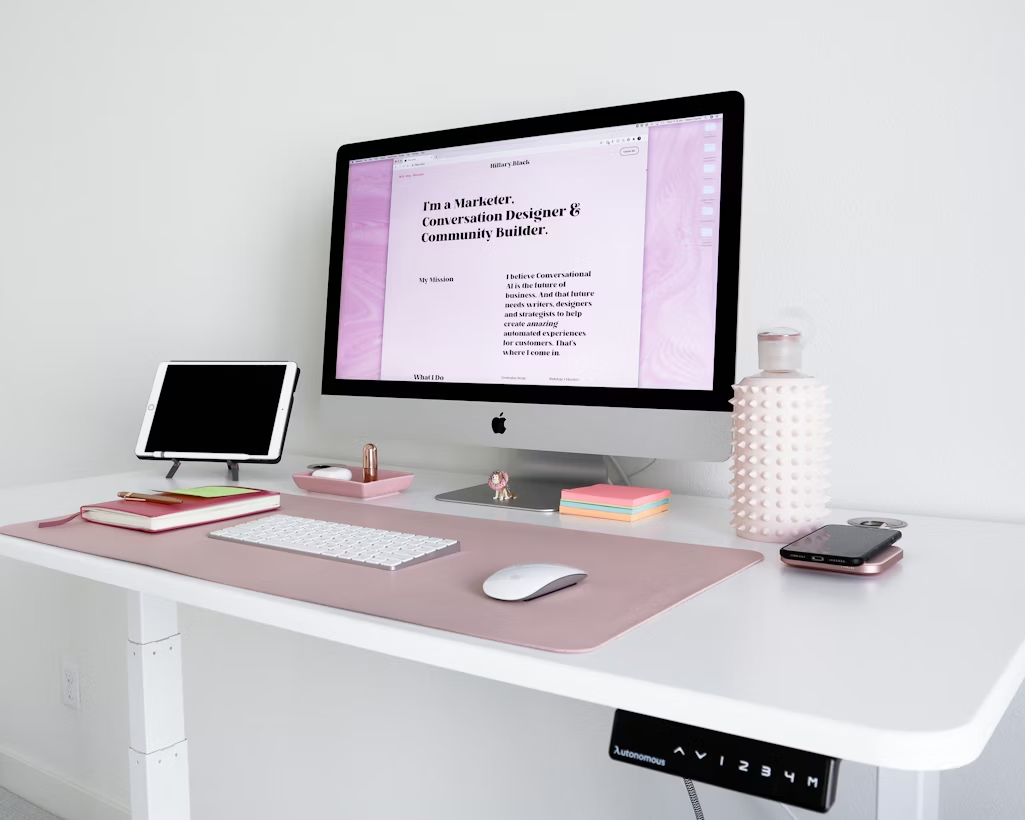
This setup focuses not just on physical minimalism, but digital minimalism as well.
What it looks like:
A clean desk paired with an ultra-organized digital environment.
Key elements:
- Minimal physical setup
- Clean desktop screen (no icons clutter)
- Focus apps or distraction blockers
- Noise-canceling headphones (optional)
Why it works:
Even if your desk is clean, a chaotic digital workspace can destroy focus. This setup addresses both.
Best for:
- Knowledge workers
- Students using digital resources
- Anyone easily distracted by notifications
Digital vs physical clutter comparison:
| Type of Clutter | Impact on Focus | Visibility | Solution |
|---|---|---|---|
| Physical clutter | High | Visible | Desk organization |
| Digital clutter | Very High | Hidden | File/system organization |
Ideal digital structure:
| Category | Organization Method |
|---|---|
| Files | Folders by project |
| Desktop | Empty or minimal shortcuts |
| Notifications | Turned off or limited |
Tips to implement:
- Keep your desktop screen nearly empty
- Use full-screen mode for work tasks
- Close unused tabs and applications
Common mistake:
Focusing only on the physical desk while ignoring digital chaos. Both need to be minimal for true focus.
setup five: the modular minimal desk
This setup is minimal but adaptable. Instead of one fixed layout, it allows you to change your desk based on the task.
What it looks like:
A base minimal setup with a few modular elements that can be added or removed easily.
Key elements:
- Core minimal desk
- Portable accessories (tablet, notebook, stand)
- Flexible arrangement
Why it works:
Different tasks require different tools. Instead of cluttering your desk permanently, you adjust it as needed.
Best for:
- People who switch between tasks frequently
- Students juggling multiple subjects
- Creatives working across mediums
Modular setup example:
| Task Type | Added Items | Removed Items |
|---|---|---|
| Writing | Notebook | Tablet |
| Designing | Tablet + stylus | Notebook |
| Meetings | Webcam + notes | Extra tools |
Flexibility vs minimalism balance:
| Setup Type | Flexibility | Simplicity |
|---|---|---|
| Clean Slate | Low | Very High |
| Modular Minimal | High | High |
Tips to implement:
- Keep extra tools stored nearby, not on the desk
- Switch setups intentionally between tasks
- Avoid leaving unused items on the desk
Common mistake:
Not resetting the desk after each task. Over time, the modular system turns into clutter.
bringing it all together
Each setup serves a different kind of worker, but they all share the same core principle: intentionality.
Here’s a quick comparison of all five:
| Setup Type | Best For | Focus Level | Flexibility |
|---|---|---|---|
| Clean Slate | Deep work | Very High | Low |
| Functional Minimal | Daily productivity | High | High |
| Nature-Inspired | Stress reduction | High | Medium |
| Digital Minimal | Tech-heavy workflows | Very High | Medium |
| Modular Minimal | Multi-tasking | High | Very High |
The goal is not to copy one perfectly, but to experiment and adapt based on your habits.
small habits that amplify any setup
Even the best desk setup won’t help if your habits work against it. Here are a few small practices that multiply the benefits:
- Reset your desk at the end of each day
- Start work with a clear intention
- Limit items on your desk to current tasks
- Take short breaks away from your workspace
habit impact chart:
| Habit | Effort Required | Impact on Focus |
|---|---|---|
| Daily desk reset | Low | High |
| Task prioritization | Medium | Very High |
| Removing distractions | Low | High |
frequently asked questions
- how minimal should my desk really be
Minimal doesn’t mean empty—it means intentional. Keep only what you actively use. If something hasn’t been touched in a week, it probably doesn’t belong on your desk. - can a minimal desk feel boring
It can if it lacks personality. The trick is subtlety—one plant, one texture, or one meaningful object can add character without distraction. - what is the biggest mistake people make
Trying to be minimal all at once. It’s more effective to remove items gradually and observe what actually improves your focus. - do i need to buy new furniture for a minimal setup
Not at all. Most minimal setups are created by removing items, not adding new ones. Start with what you already have. - how often should i reorganize my desk
A quick reset daily and a deeper reorganization once a week is usually enough to maintain clarity. - which setup is best for beginners
The functional minimal desk is a great starting point. It offers structure without feeling too restrictive.
closing thoughts
A minimal desk is not just about aesthetics—it is a tool for thinking clearly. When your environment stops demanding attention, your mind becomes free to focus on what truly matters.
You don’t need a complete overhaul to experience the benefits. Start small. Remove one unnecessary item today. Rearrange your desk with intention. Notice how it feels.
Focus is not something you chase—it’s something you create. And sometimes, all it takes is a cleaner surface to begin.