


For many people, a productive home office requires more — more screens, more gadgets, more storage.
But what if the reverse is actually true?
What if less is the thing that gets you to work better?
That’s the thinking behind minimalist home office productivity setups. These aren’t just desks that look pretty on Instagram. They’re intentionally created spaces designed for one purpose: to help your brain focus deeply and consistently.
When you work from home, distraction is omnipresent. Your phone. The TV. The stack of mail on the counter. Your brain absorbs all of that — even when you think you’re tuning it out.
A minimalist workspace eliminates those triggers one at a time.
Here are 7 secret minimalist home office productivity setups that most people have probably only tried a few of. They’re all practical, affordable and intended to help you think more clearly, work faster and feel less drained at the end of the day.
Ready to revolutionize your working style? Let’s go.
The Real Reason Clutter Kills Your Focus
Before we jump into the setups, it’s helpful to know why clutter is such a huge issue.
Your brain is constantly scanning your environment — even in the background. Each object in your line of sight consumes a small slice of mental attention. A crowded desk, a cluttered shelf, a cord that stretches across the floor — all of it contributes to what psychologists term cognitive load.
Cognitive load is basically how hard your brain has to work just to process the world around you.
When that burden is heavy, there’s less mental energy available for actual work. You feel scattered. You procrastinate. You get tired faster.
A minimalist workspace almost entirely alleviates that burden. Your brain shifts from scanning to doing.
That is the science behind why these setups work. Now let’s get into the setups themselves.
Setup 1: The Blank Slate Desk
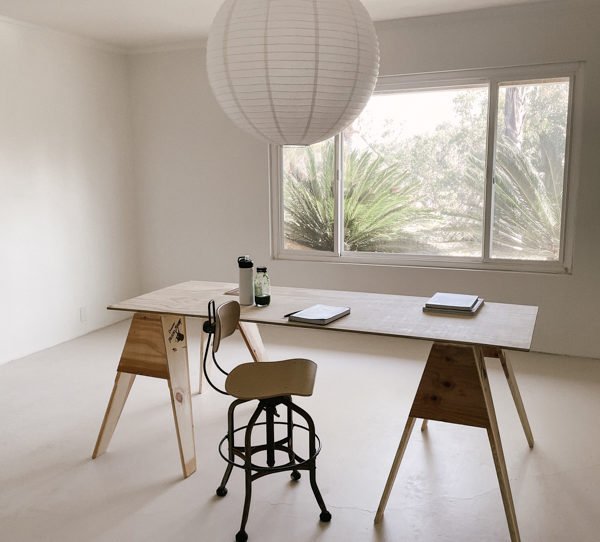
Best for: Deep work, writing, studying and anyone who has a hard time avoiding distraction
This is the most powerful minimalist setup — and also the hardest one to follow.
The rule is very simple: nothing stays on the desk permanently.
Everything — laptop, notebook, pens, lamp — goes away at the end of each work session. When you sit down the next day, there is nothing on your desk. You bring out just what you need for that session.
Why This Works So Well
It creates a psychological reset. An empty desk sends a signal to your brain: here’s a fresh start. There are no leftover reminders from yesterday’s unfinished work. No visual weight pulling your eye sideways.
This is a method that many high-performing writers and executives swear by.
How to Set It Up
You need two things: a desk with clean lines (no built-in shelves or hutches) and a nearby storage solution — be it a drawer unit, shelf or simple basket. Everything lives in storage. The desk surface is sacred.
| What to Store Away | Where to Put It |
|---|---|
| Laptop / tablet | Drawer or shelf |
| Notebooks and pens | Small basket or box |
| Cables and chargers | Cable pouch in drawer |
| Decorative items | Off the desk entirely |
One Rule to Guard the Blank Slate
Never put something on the desk unless you are currently using it. Not “in a minute.” Not “later today.” Right now.
Follow this one rule consistently, and you have one of the most effective minimalist home office productivity setups in existence.
Setup 2: The Monochrome Zone
Best for: Visual thinkers, designers and those easily distracted by color and visual noise
Color is stimulating. That’s good in some areas of life — not so good when you’re trying to concentrate.
The Monochrome Zone setup uses a single color palette spanning everything in your workspace. Desk, chair, walls, accessories — all in one color or similar hues.
Popular Monochrome Palettes for Focus
| Color Theme | Best For |
|---|---|
| All white / cream | Bright, airy, calm energy |
| Warm gray / greige | Neutral and grounding |
| Black / charcoal | Bold focus, late-night work |
| Sage green tones | Calm, nature-inspired clarity |
| Sand / warm beige | Soft, low-stimulation comfort |
The Mindset of a Single-Color Space
When everything is visually unified, your brain doesn’t have to deal with contrast or visual competition. The environment becomes like a blank audio track — neutral and unobtrusive.
Your work becomes the sole “interesting” aspect of the frame. And that’s precisely where you want your attention to go.
How to Build It on a Budget
You don’t have to repaint your entire room or purchase all-new furniture. Start small:
- Use a desk mat that matches your chosen tone
- Swap out colored items (notebooks, pencil holders) for monochrome versions
- Add a plant in a matching pot for texture without breaking the palette
- Switch to a neutral wall behind your screen (even a large piece of fabric works)
Small movements toward a unified color palette make a surprisingly big difference in how serene and focused your workspace feels.
Setup 3: The Analog Island
Best for: Anyone burned out from devices, writers and creative thinkers
Here’s a setup that subverts everything we think we know about modern work.
The Analog Island is a designated workspace with zero screens.
No laptop. No monitor. No tablet. Nothing but paper, pens and your thoughts.
What Goes on an Analog Island?
- A quality notebook (A4 or A5 size works well)
- Two or three good pens
- A small desk lamp
- A timer (physical, not phone-based)
- Index cards or sticky notes for ideas
That’s it. The whole point is a place where digital distraction is literally impossible.
When and Why to Use It
You are not working all day at the Analog Island. It’s a zone devoted to certain kinds of tasks:
- Brainstorming new ideas
- Planning your week
- Journaling or reflecting
- Working through a complex problem
- Writing first drafts before typing
Many of these tasks are better done on paper than on a screen. Research from Princeton University found that people who take notes by hand retain and process information more deeply than those who type.
The Analog Island provides you a space for your deepest thinking — away from alerts, browser tabs and the continual pull of the internet.
Pair It With a Digital Workspace
For most people, the Analog Island is used in conjunction with a standard computer setup. Think of it as a thinking station that feeds into your doing station. Concepts generated at the Analog Island get executed at your main desk.
Setup 4: The Sensory Reset Workspace
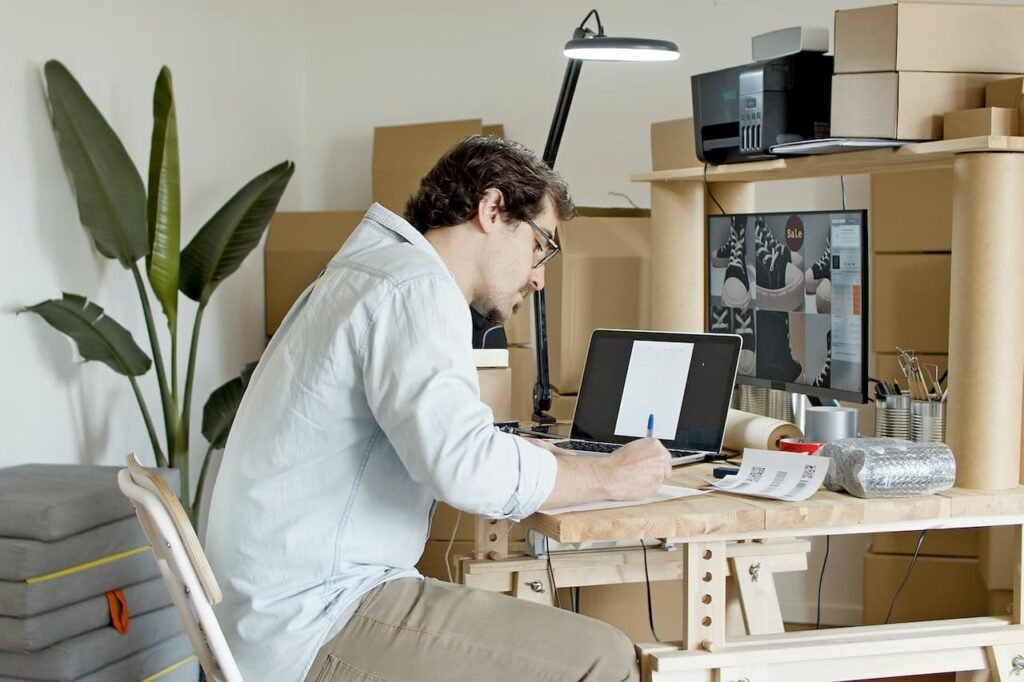
Best for: Those who feel anxious, overstimulated or mentally foggy while working
This setup goes beyond visual design. It engages all five senses in service of an environment that’s truly calming and supportive of focus.
The Five Sensory Layers
Sight: Keep the visual space as minimal and neutral as possible (see the Monochrome Zone for tips).
Sound: Use a white noise machine, brown noise playlist or soft ambient music. Silence works too — the point is controlled sound, not random noise from outside.
Smell: One subtle scent can anchor your brain into a “work mode” state. Research supports the use of rosemary, peppermint and citrus for alertness. One small candle or a diffuser is enough.
Touch: Use a desk mat with a texture you appreciate. A comfortable, supportive chair makes a bigger difference than most people realize. Even the feel of a quality pen can impact how engaged you feel.
Temperature: Studies have shown that a slightly cool room (68–70°F or 20–21°C) supports better concentration than a warm one.
Sensory Reset Setup at a Glance
| Sense | Minimalist Tool | Effect |
|---|---|---|
| Sight | Neutral colors, clear desk | Reduces visual noise |
| Sound | White/brown noise | Masks distracting sounds |
| Smell | Rosemary or citrus diffuser | Boosts alertness |
| Touch | Quality desk mat + good chair | Improves physical comfort |
| Temperature | Cool room, fan if needed | Supports concentration |
When all five sensory layers work together, your workspace becomes a genuine focus sanctuary.
Setup 5: The Time-Blocked Tower
Best for: Procrastinators, task-switchers and people who struggle to stay on schedule
This setup is less about furniture and more about how your workspace functions throughout the day.
The Time-Blocked Tower uses physical cues to represent blocks of time — turning your workspace into a visual schedule.
How It Works
Keep a small stack of index cards on your desk at the beginning of every day. Each card represents a single focused work block (usually 60–90 minutes). Write one task on each card.
When a block is finished, flip the card face-down or move it to a “done” pile.
It sounds almost too simple. But moving a card — as opposed to clicking a checkbox — creates a more tangible sense of completion. It’s tactile. Real. Satisfying.
Supporting Tools for This Setup
- A physical timer: A visible countdown timer keeps you honest about work blocks
- One notebook: For capturing notes during a block (so you don’t act on them immediately)
- A clear desk otherwise: Distractions have nowhere to hide
Why It Beats Digital Task Lists
Most productivity apps are portals to distraction. Opening your task manager means opening your phone or computer — and suddenly you’re checking email, scrolling news or going down a rabbit hole.
Index cards have no notifications. They can’t ping you. They offer no temptation whatsoever.
The Time-Blocked Tower keeps your plan physically present and digitally separate. That combination is hugely motivating for anyone who has a hard time staying on course.
Setup 6: The Window-Side Sanctuary
Best for: Those who feel caged, sluggish or creatively stifled working indoors
Natural light is one of the most underutilized productivity tools available — and it costs nothing.
The Window-Side Sanctuary is designed entirely around maximizing your exposure to daylight during the working day.
The Right Way to Position Your Desk Near a Window
Most people make one of two mistakes: they either face the window head-on (resulting in glare on their screen) or sit with their back to it (resulting in shadows on the desk).
The correct position is to the side of the window. Left or right — either works. This gives you:
- Consistent, even natural light on your face and desk
- No screen glare
- A view you can glance at to rest your eyes
What to Add Around the Window
Keep this setup deliberately spare:
- One plant on the windowsill (adds life without clutter)
- Sheer curtain to soften harsh midday light
- Daylight-spectrum lamp (5000K bulb) for cloudy days or evening work
- Clean wall on the opposite side — no posters, no shelves
The 20-20-20 Rule in This Setup
Every 20 minutes, look at something 20 feet away for 20 seconds. This is easy with a window beside you. Glance at a tree, a building or the sky. It significantly reduces eye strain during long work sessions.
For specific guidance on how to arrange a desk-and-window combo that actually works, Remote Work Desk Setup covers layout tips and practical advice for all room sizes and configurations.
Setup 7: The One-Drawer Office
Best for: Extreme minimalists, small space dwellers and people who like to travel light
This is the most radical setup on the list — and perhaps one of the most liberating.
The One-Drawer Office means your entire work life fits inside a single drawer or small box.
What Goes in the One Drawer
| Item | Why It’s Included |
|---|---|
| Laptop (or tablet + keyboard) | Primary work tool |
| One notebook | Planning and notes |
| Three pens (max) | Writing tools |
| Charger + cable pouch | Power and connectivity |
| Small earbuds or headphones | Focus and calls |
That’s your complete office. Everything else is excess.
Why Extreme Constraint Is Freeing
When you restrict your tools this severely, something interesting happens. You stop thinking about the setup and start thinking about the work. There’s nothing to rearrange, upgrade or optimize. Decision fatigue drops to zero.
You open the drawer. You take out your tools. You work.
This arrangement also makes working from different locations effortless. Coffee shop, library, a spare room at a family member’s house — your “office” travels with you in one small package.
The Challenge
The trickiest part of the One-Drawer Office is resisting the impulse to add things. Every few weeks, ask yourself: did I actually need this item this week? If not, it doesn’t stay.
How These 7 Setups Stack Up Against Each Other
Here’s a quick comparison to help you determine which setup fits your work style best:
| Setup | Focus Type | Space Needed | Cost Level | Best Personality |
|---|---|---|---|---|
| Blank Slate Desk | Deep, distraction-free | Any | Low | Disciplined, structured |
| Monochrome Zone | Visual calm | Any | Low–Medium | Visual thinker |
| Analog Island | Creative, reflective | Small | Very Low | Writer, planner |
| Sensory Reset Workspace | Anxiety relief | Small–Medium | Medium | Overstimulated worker |
| Time-Blocked Tower | Schedule-driven | Small | Very Low | Procrastinator |
| Window-Side Sanctuary | Energized focus | Near window | Low | Low-energy, creative |
| One-Drawer Office | Portable, flexible | Minimal | Low | Minimalist, traveler |
6 Habits That Make Any Minimalist Setup Work Better
The setup is just the foundation. These habits are what bring it to life.
1. Do a 5-minute morning prep. Spend 5 minutes setting up your space exactly the way you want it before you start working. This ritual tells your brain that focused work is about to begin.
2. Batch your distractions. Rather than responding to every message as your phone buzzes, designate two specific times each day to reply. At all other times, the phone stays out of sight.
3. Use one tool per task. Writing? One document open. Planning? One notebook. Researching? One browser tab at a time. Multitasking divides attention — it doesn’t multiply it.
4. Let silence be a tool. Many people fill quiet with music or podcasts out of habit. Try working in silence for one session. Notice how your focus changes.
5. End the day with a full reset. Put every item back in its place before you finish working. Tomorrow’s focus begins with tonight’s reset.
6. Review your setup monthly. Minimalist spaces need maintenance. Once a month, ask what has crept back onto your desk that doesn’t belong. Remove it.
FAQs: Minimalist Home Office Productivity Setups
Q: Do minimalist home office productivity setups really work, or is this just an aesthetic trend?
They genuinely work. The link between a clear physical environment and improved cognitive focus is well-supported by psychology research. It’s not about aesthetics — it’s about reducing the mental load your environment places on your brain.
Q: Which of the 7 setups is best for someone just starting out?
The best place to start is the Blank Slate Desk. It costs nothing to introduce and creates an immediate shift in how your workspace feels. Clear the desk tonight. Start fresh tomorrow.
Q: Can I combine more than one setup?
Absolutely — and most people do. The Window-Side Sanctuary pairs beautifully with the Monochrome Zone. The Analog Island works well alongside the Time-Blocked Tower. Mix and match based on your specific needs.
Q: I work with two monitors. Can I still have a minimalist setup?
Yes. Two monitors can absolutely exist in a minimalist workspace. The key is everything else — keep the rest of the desk completely clear, manage your cables neatly and remove anything unrelated to your current work.
Q: How long does it take to feel a difference after switching to a minimalist setup?
The vast majority of people feel a noticeable difference within one to three days. The first session in a clean, intentional space often feels immediately calmer and more focused.
Q: What’s the biggest mistake people make when building a minimalist home office?
Buying new items to furnish the “minimalist” space. Minimalism is not a design style to shop for — it’s a habit of removing things. Start by taking items away, not adding new ones.
Q: Do I need a dedicated room to build one of these setups?
Not at all. Many of the setups — particularly the Floating Desk Nook, One-Drawer Office and Analog Island — are designed for people who don’t have a dedicated office room. A corner, a wall or a small section of a shared room is sufficient.
Your Best Work Starts With the Right Environment
Better focus doesn’t come from a new app, a stricter schedule or more willpower.
It’s your environment.
When your surroundings are clear, calm and deliberately designed, your brain shifts into a different gear. Distractions lose their grip. Procrastination fades. The work that felt hard starts to feel doable.
These 7 minimalist home office productivity setups aren’t about perfection. They’re about eliminating everything that stands between you and your best thinking.
You don’t need all seven. You just need one — the right one for your life, your space and your work style.
Pick it. Build it. Give it one week.
You might be surprised at what becomes possible when you finally get out of your own way — and let your space do some of the work for you.
Focus keyword: minimalist home office productivity setups — used naturally throughout the article in the introduction, headings, body sections, comparison table, FAQ section and conclusion.








