


Working from home sounds like a dream — except when you remember that your “office” is also your bedroom, dining table or living room corner. For millions living in apartments, studio flats or small houses, creating a productive workspace is genuinely challenging.
But here’s the good news: You don’t need a big room to create a big-league home office. With the proper setup, even the smallest nook can become a veritable powerhouse of focus and creativity.
This guide takes you through 8 smart home office productivity setups specifically designed for small homes. Each is a practical, budget-friendly and proven-to-work idea — no matter how tight your square footage.
Let’s get into it.
Why It Matters the Way You Set Up Your Workspace
Before diving into the setups, here’s why your environment matters.
Research consistently demonstrates that the environment impacts how we think and feel. Too much clutter, noise or discomfort sap energy and are an obstacle to focus. A centrally organized, purposeful workspace — even a small one — does the opposite.
When your space serves you, not hinders you, productivity rises. Stress goes down. And the separation between “work mode” and “relaxation mode” becomes more well-defined, which is especially important when your home and office are also the same place.
The aim is not merely to have a place to park your laptop. It’s about creating an intentional environment that trains your brain to switch into work mode as soon as you sit down.
Setup 1: The Closet Office (Cloffice)
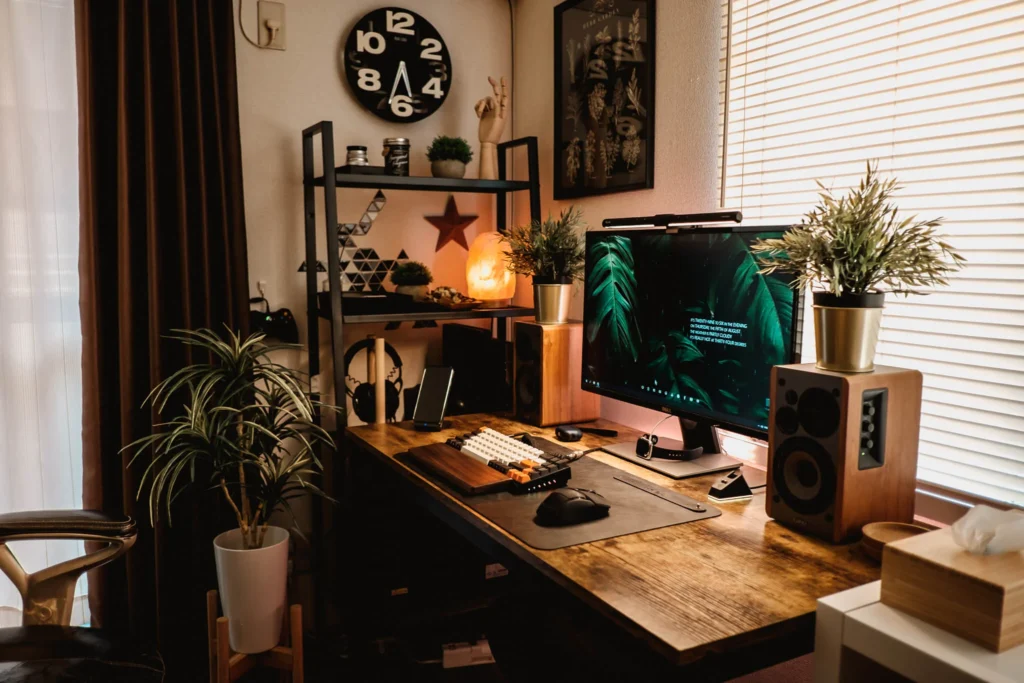
Convert Unused Storage to a Dedicated Work Space
One of the hottest home office productivity setups these days is the cloffice — a closet turned into a small office. And honestly, it’s genius.
Most closets are already the right width for a desktop. A floating shelf at desk height, a strip light along the top rail and a small pegboard for supplies — and then you have an office that can be fully functional but disappears behind closed doors when the working day ends.
Why it works so well:
- Having defined physical boundaries indicates “work time” to your brain
- End of day — close the doors: closing them keeps you from mentally being in work mode
- No additional square footage required — only reimagined space
What you’ll need:
| Item | Estimated Cost |
|---|---|
| Floating shelf/desk surface | $30–$80 |
| LED strip lighting | $15–$30 |
| Pegboard + hooks | $20–$40 |
| Small monitor arm | $25–$50 |
| Cable organizer | $10–$20 |
Pro tip: Use a slightly different color paint on the inside of the closet than the rest of your room. It establishes a psychological “zone” that signals: this is where focus happens.
Setup 2: The Wall-Mounted Fold-Down Desk
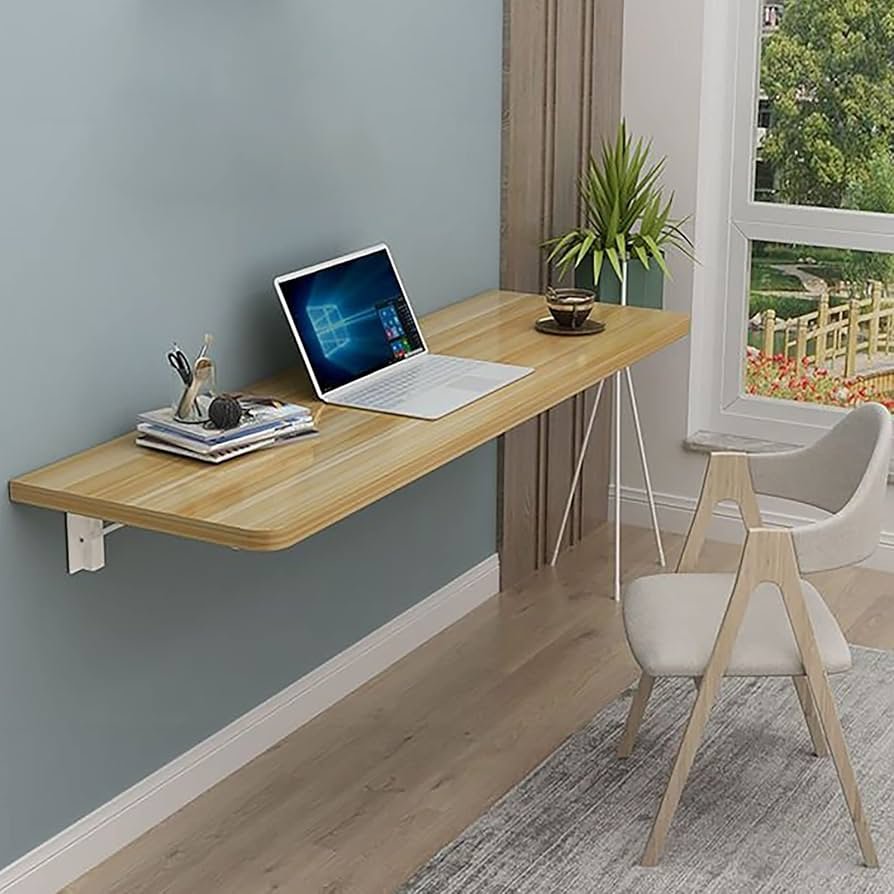
Maximum Functionality, Minimum Footprint
If your office is also your studio apartment, or a bedroom, one of the smartest investments you can make is a fold-down wall desk.
These desks attach to the wall and fold flat when not in use. Some models fold down to as little as 4–6 inches of depth — all but invisible when shut. Unfold and you have a complete workspace in seconds.
Key Features to Look For
- Weight capacity: Ensure it can support your monitor, laptop and other accessories (at least 50 lbs)
- Built-in storage: Some fold-down desks have small shelves, cubbies or even a cork board inside
- Size: For a dual-screen setup, or one with a laptop + notebook, you usually don’t need more than a 30″–40″ wide surface
Best for: Bedroom offices, living room setups, narrow hallways or any space where a permanent desk would feel intrusive.
This arrangement pays dividends because it honors your living space. When the workday is done, the desk folds up, and the room returns to being a home — not an office.
Setup 3: The Window Nook Workstation
Making the Best Work Zone for Yourself With Dead Space
Most houses have at least one underused window nook, bay-window area or awkward alcove. These nooks are goldmines for compact home office setups.
Nothing beats natural light when it comes to boosting productivity — and you won’t have to pay for it. Having your desk near a window means better mood, less eye strain and an energizing work environment throughout the day.
How to Create a Workstation in a Window Nook
- Always measure your nook carefully — width, depth and height to the sill
- Build a floating desk trimmed to the right dimensions
- Combine with a narrow padded stool or drafting chair that fits fully underneath
- Make use of the wall space above for floating shelves, a small whiteboard or a pinboard
- Control glare with sheer drapes or a monitor hood if necessary
Light Direction Tips
| Window Orientation | Quality of Light | Best Time For |
|---|---|---|
| North-facing | Soft and even | All-day work |
| East-facing | Bright morning light | Morning sessions |
| South-facing | Hard and warm | Afternoon sessions |
| West-facing | Warm afternoon glow | Evening work |
According to the Sleep Foundation, exposure to natural daylight during working hours improves sleep quality, decreases fatigue and increases alertness. It’s a productivity win baked directly into your setup.
Setup 4: The Desk-and-Dining Setup That Does Double Duty
One Table, Two Jobs — The Right Way
Not everyone has space for a dedicated desk. If your dining table serves as your workspace, you’re not alone — and you can make it work quite well.
The secret is a clearly defined work mode and meal mode. That division is not about having two distinct pieces of furniture. It’s about having a system.
The “Work Kit” Method
Store all your work portable supplies in a tote bag, a shallow box or a small rolling cart. When it’s time to work, you set the kit out on the table. When the workday is over, it all goes back into the kit and out of view.
Your work kit might include:
- Laptop stand (collapsible)
- Portable Bluetooth keyboard and mouse
- Notebook and pens
- Headphones
- Small desk lamp
The entire setup and pack-up of this system takes less than 2 minutes. It prevents your dining room from becoming a de facto office full time, which is more important to mental health than most people realize.
Upgrade it: A portable laptop riser with an external keyboard helps get your screen to eye level, transforming any flat surface into a work-friendly ergonomic setup in seconds.
Setup 5: The Vertical Power Wall
Go Up, Not Out
When floor space is tight, the answer is almost always: go vertical.
A vertical power wall is a dedicated portion of wall mounted above or beside your desk that’s all about maximizing storage, organization and function. Instead of laying things out on a broad desk, you stack function upward.
Building Your Vertical Power Wall
Layer 1 — Desk Surface: Go minimal. Laptop or monitor, a desk lamp, perhaps a notebook. That’s it.
Layer 2 — Eye-Level Shelf: Monitor at eye level (a riser or wall-mounted arm works great). This avoids neck pain and opens up desk space underneath.
Layer 3 — Mid-Wall Storage: Floating shelves for books, notebooks, a small plant and speaker.
Layer 4 — High Storage: For items used less frequently — boxes, bins or baskets. Label them clearly.
Layer 5 — Pegboard or Grid Panel: Suspend headphones, cables, small tools, sticky note pads and anything else you want at your fingertips without cluttering the desk.
| Wall Layer | What Goes There | Purpose |
|---|---|---|
| Desk surface | Monitor, laptop, lamp | Active work zone |
| Eye-level shelf | Monitor riser or arm | Ergonomics |
| Mid-wall | Books, small items | Quick-access storage |
| High wall | Boxes and bins | Out-of-the-way storage |
| Pegboard | Cables, accessories | Clutter-free organization |
A correctly designed vertical wall can turn a 24-inch wide desk into a completely organized, very functional workstation — without occupying one more square foot of floor space.
Setup 6: The Office Nook Under the Stairs
Rehabilitating the Most Neglected Room in Your House
If your home has stairs, there’s a good chance the space under them is serving as a dumping ground for shoes, coats and boxes. That idle space could transform into one of the most whimsical and effective home office productivity setups in your house.
Under-stair offices are growing in popularity — and for good reason. The angled ceiling gives the space a naturally cozy, enclosed feel that actually makes it easier to focus. It’s a kind of built-in cave effect, and many people say it is easier for them to concentrate in semi-enclosed spaces.
Making It Work
- Custom desk: A carpenter can design a fitted desk to follow the angle of the stairs. Prices vary, but tend to be less than purchasing furniture separately.
- DIY option: Put together IKEA-style modular shelving units to fill the space.
- Lighting is critical: There’s no natural light here, so invest in good warm-white LED lighting that won’t strain the eyes.
- Ventilation matters: Don’t stifle the airflow. A USB-powered fan or nearby vent helps.
- Cable management: Have a plan from the beginning. Run cables on the inside of your stair trim for a clean finish.
Best for: Homes with open-plan living areas, two-story houses, townhomes or any layout where the area under the stairs is accessible.
Setup 7: The Corner Micro-Office in the Bedroom
Combining Work and Sleep in the Same Space
It’s hard to work from your bedroom. Sleep researchers will tell you the bedroom should be reserved for sleep and rest — adding work into the mix creates mental associations that can actually harm sleep quality over time.
Sometimes, though, it’s the only option. And when it is, the bedroom corner micro-office is the most sensible way to make it work.
The Golden Rules for Bedroom Office Setups
Rule 1 — Angle matters. Do not put your desk facing the bed. If your desk faces the bed, your brain will constantly toggle back and forth between “work mode” and “rest mode.” Face the wall or a window instead.
Rule 2 — Use a room divider. Even something as simple as a bookshelf, a curtain or a folding screen between your desk and your bed creates a psychological barrier. You’d be amazed how well even a visual barrier works.
Rule 3 — Move on mentally. Create a shutdown ritual — close the laptop, file away notebooks, drape a cloth over your desk. That simple act signals to your brain that work is over for the day.
Rule 4 — Keep it minimal. The more office-like your bedroom corner looks, the harder it will be to relax in that room. Use furniture that doubles as bedroom décor — a wooden desk, warm lamp, simple storage — not cold, corporate-looking office furniture.
Recommended gear for small bedroom offices:
- Small L-shaped corner desk (maximizes surface in a small footprint)
- Slim monitor with thin bezel
- Wireless peripherals (fewer cables = less visual clutter)
- Warm-toned desk lamp (not harsh blue-white light)
- Small bookshelf doubling as a room divider
Setup 8: The Mobile Rolling Cart Office
Work in Any Room of Your Home — Without Losing Order
Not everyone is looking for a dedicated desk. Some people work better when they can roam — kitchen in the morning, living room sofa in the afternoon, outdoor balcony if the weather is nice.
If that feels true to you, a mobile rolling cart office might be the most liberating setup on this list.
How to Build a Rolling Cart Office
The base is a multi-tier rolling cart — the type that became widely popular with craft organizers (IKEA’s RÅSKOG is a classic starting point, but there are dozens of options at virtually every price point).
Tier 1 — Top: Laptop, small stand, wireless mouse. Your active work surface.
Tier 2 — Middle: Notebooks, planner, headphones, chargers. Your grab-and-go supplies.
Tier 3 — Bottom: Heavier items — books, a power strip, extra cables, a small portable hotspot if needed.
The beauty of this setup is that it’s flexible without being chaotic. Everything has a home, even when you move it around. By the time you roll your cart to the kitchen table, you’re organized and prepared. Same deal when you head to the balcony.
Best paired with: An adjustable laptop stand and a compact Bluetooth keyboard for comfortable typing anywhere.
This setup is ideal for: Freelancers, part-time remote workers, parents who need to move around the home all day or anyone who finds a fixed desk too confining.
Side by Side: All 8 Setups at a Glance
| Setup | Space Needed | Cost Range | Best For |
|---|---|---|---|
| Closet Office (Cloffice) | Small closet | $75–$200 | Daily full-time workers |
| Fold-Down Wall Desk | Wall space only | $100–$300 | Studio apartments |
| Window Nook Workstation | Alcove/bay window | $50–$150 | Natural light lovers |
| Dual-Purpose Dining Setup | Existing dining table | $30–$100 | Occasional remote workers |
| Vertical Power Wall | Desk + wall space | $100–$250 | Organized minimalists |
| Under-Stair Office Nook | Under staircase | $200–$600+ | Homeowners with stairs |
| Bedroom Corner Micro-Office | Bedroom corner | $100–$300 | Apartment dwellers |
| Mobile Rolling Cart Office | No fixed space | $50–$150 | Flexible workers/movers |
Small Space, Still Very Productive: Extra Tips That Enhance Any Setup
Whichever of these home office productivity setups you choose, a few universal principles will help it work better.
Declutter ruthlessly. In a limited area, everything on the desk competes for mental space. Only things you use every day should be within arm’s reach. Everything else gets stored or removed.
Invest in ergonomics. Nothing will kill productivity faster than a sore back or strained neck. Even in a small setup, a good chair and a monitor at eye level makes an observable difference.
Control sound. Living small means closer noise from flatmates, family or the street. Noise-canceling headphones represent one of the highest-ROI purchases for any home office. A white noise machine ($25–$50) can also work wonders.
Light it right. Poor lighting causes fatigue. Use natural light during the day and a warm desk lamp for evenings. Avoid overhead fluorescent light if you can.
Set visual boundaries. Even if your “office” is a corner of a shared room, make it look intentional. A small rug under the desk, a plant, a piece of art on the wall — these elements tell your brain (and others) that this space is yours.
FAQs: Small-Space Home Office Setups
Q: Can I really build a productive home office in less than 50 square feet? Absolutely. Several of the setups in this guide — the cloffice or a fold-down wall desk — require less than 20 square feet. Productivity is not about how big the space is; it’s about how purposeful and organized it is.
Q: What’s the most affordable home office setup for a tiny space? The mobile rolling cart office and the dual-purpose dining setup are both very functional and can be built for under $100. Start simple and upgrade step by step as your needs become clearer.
Q: How do I avoid letting my home office make the whole house feel like a workplace? Opt for setups that can be shut off or packed away — such as the cloffice (closet doors close) or the fold-down desk (folds flat). Combine this with a definitive end-of-work shutdown ritual to mentally leave work behind.
Q: Is natural light really that important for a home office? Yes, significantly. Natural light elevates mood, reduces eye strain, synchronizes your body clock and increases alertness. When natural light isn’t possible, a daylight-spectrum desk lamp (5000K color temperature) is the next best option.
Q: What is the best setup for someone who rents and can’t make permanent changes? The fold-down desk (many mount with removable adhesive), the rolling cart office and the window nook setup (using freestanding furniture) are all renter-friendly. Always read your lease before drilling or mounting anything.
Q: How can I stay focused when my home office is in a shared living space? Noise-canceling headphones are your best friend. On top of that, lay down clear “work hours” with anyone you live with, use visual cues (a closed door, a “do not disturb” sign), and stick to as consistent a schedule as possible so your household knows when you’re in work mode.
Q: Do I need an expensive ergonomic chair for a small home office? It doesn’t have to be expensive, but ergonomic support matters. Choose a chair with adjustable lumbar support. A lumbar cushion and a laptop riser can get you most of the way there if you’re working at a dining table — and for a fraction of the cost.
Wrapping It All Up
Living in a small home doesn’t need to equal a small workflow. With the right home office productivity setup, even the tiniest corners, skinniest closets and most multifunctional rooms can become places where actual, concentrated work gets done.
The eight setups highlighted here cover every type of compact-home scenario — from full closet conversions to rolling carts that move with you. Each one is based on a simple truth: your environment drives your work. Design it deliberately, even on a small scale, and the outcomes will follow.
Start with one idea. Experiment. Adjust. You don’t need a perfect setup — you just need one that works. And that’s easily attainable, regardless of how tiny your home may be.








