

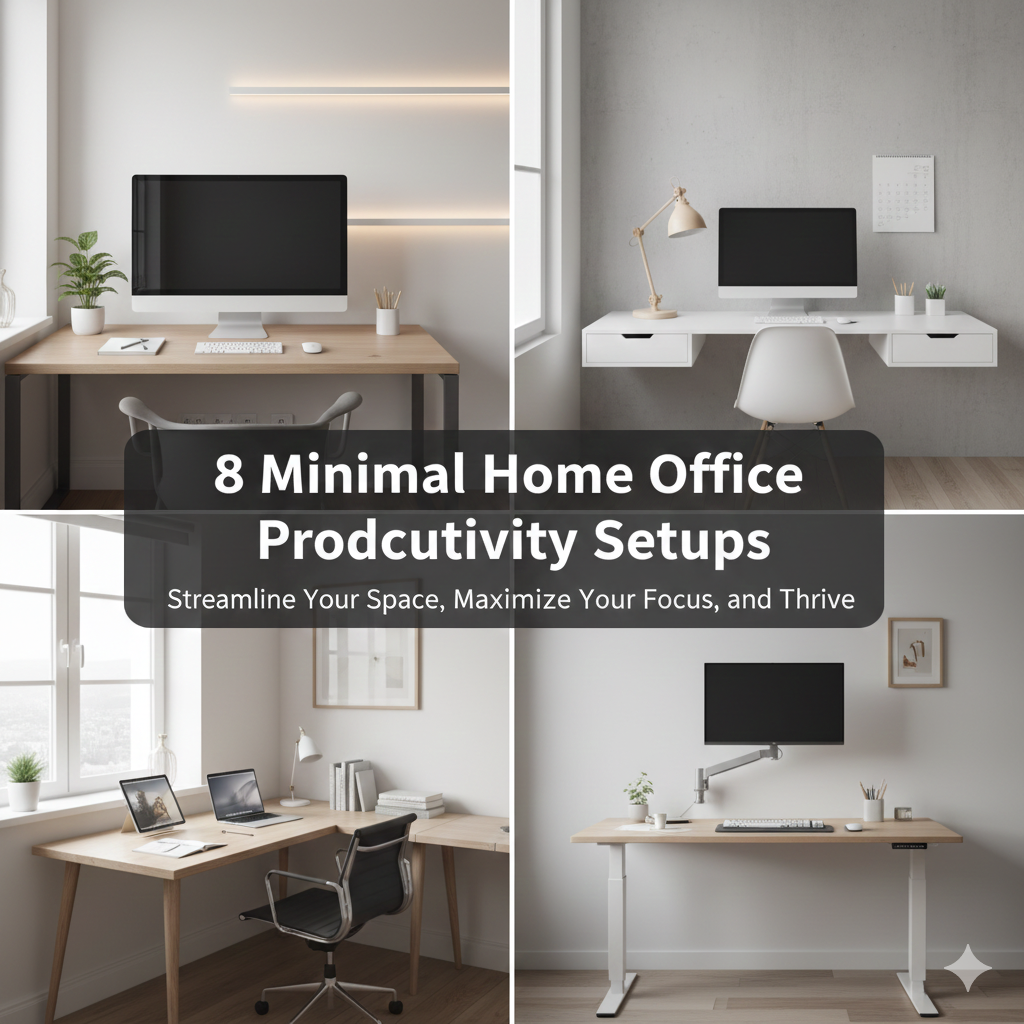
Your brain takes in everything around you — even when you expect it not to.
That stack of papers in the corner of your desk. The mass of cables hanging off the side. The sticky notes littering your monitor. Each of these tiny things diverts a little portion of your focus from the work you’re engaged with.
That’s where minimalism comes in.
A minimal home office is not about making your space resemble an Instagram photo. It’s about eliminating all the things that war for your attention — so your mind can concentrate on the one thing that really matters: your work.
These are 8 minimal home office productivity setups created specifically for working without distractions. They are all clean and functional, built on the principle that less is more.
Whether you’re working from a spare bedroom, a studio apartment or a cramped corner of your living room — there’s an arrangement here for you.
Let’s build something focused.
Minimalism Is a Match Made for Productivity
Before getting into the setups, it’s useful to know why clutter is detrimental to your output.
Research from Princeton University Neuroscience Institute showed that physical clutter competes for your attention and diminishes your ability to focus. Every additional object in your field of vision causes a tiny ping to your brain: deal with me.
Multiply that over a cluttered desk and you’ve got a workspace that’s subtly sapping your mental energy all day long.
Minimal home office setups perform so well because they remove that competition. When there’s no other input to fall back on, your mind stops bouncing around and starts doing real work.
The result? More focus. Less fatigue. Better output.
What Does “Minimal” Even Mean for a Home Office?
Minimal doesn’t mean empty. Not cold or uncomfortable, either.
It means intentional.
A minimal workspace contains only what has a purpose. Everything on the desk deserves to be there. Every item has a home. Nothing lies out in the open just because it always has.
Here’s a quick look at how to tell a minimal setup from a cluttered one:
| Cluttered Workspace | Minimal Workspace |
|---|---|
| Items without a clear purpose on the desk | Only daily-use items on the desk |
| Tangled, exposed wires | Hidden or orderly wires |
| Mixed lighting | Single, clean light source |
| Multiple decorations | Zero or only one decoration |
| Papers and notebooks piled randomly | Everything filed, organized, or digital |
| Loud, busy background | Neutral wall |
It’s not about stripping your space down to nothing. The idea is to narrow it down to exactly what you need.
Setup #1 — The Flat Desk With One Monitor
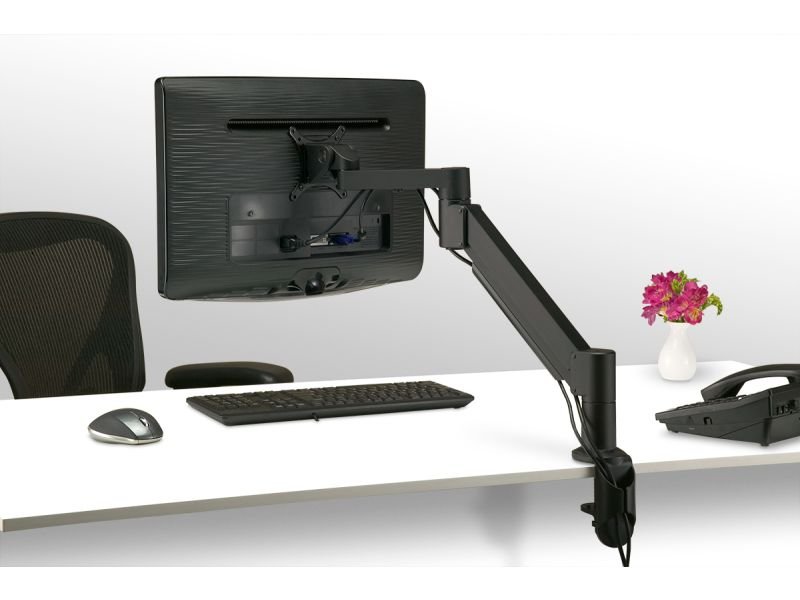
Best for: Writers, coders, and deep focused work sessions
This is the most basic minimal setup — and rightly so. It works.
The concept is straightforward: one monitor, one keyboard, one mouse, one lamp. Nothing else stays on the desk full-time.
The Gear That Makes It Work
- Monitor: 24″–27″ screen at eye level (use a monitor stand or arm to get the height right)
- Keyboard: Compact, slim keyboard — wireless is even better for cable management
- Mouse: A flat, no-frills wireless mouse
- Desk lamp: Adjustable brightness — placed to the left if you’re right-handed
- Desk pad: One large desk pad that unifies the surface and defines the space
That’s the entire setup. No extra monitor. No pen holder with twelve pens you never use. No decorative plant, motivational calendar, and coffee mug collection.
The “One In, One Out” Rule
To maintain this setup as close to minimal as possible, follow one simple rule: before anything new comes onto your desk, something else has to go.
This rule stops creep. Clutter doesn’t arrive in one swift delivery. It sneaks in one thing at a time. The one-in-one-out rule catches it in the bud.
Estimated cost: $200–$600, depending on monitor quality and desk selection.
Setup #2 — The Floating Shelf Workstation
Best for: Users without a dedicated desk surface or very small spaces
This setup does away with the desk altogether.
Instead, a deep floating shelf (a minimum of 24 inches deep) is mounted at the right height on the wall. Your laptop or monitor rests on it. Your keyboard and mouse sit on it. When you finish work, everything slides back and it looks like a regular shelf again.
Why It’s Better Than a Regular Desk in Small Spaces
A floating shelf has no legs. That means zero floor space used. The area underneath is completely open — which makes any room feel much bigger.
It’s also easier to clean. Without a desk skirt or drawer unit below, there’s no place for junk to hide and pile up.
What to Mount on the Wall Above It
- One small pegboard for headphones and a single power strip
- One or two small floating shelves above for a notebook and perhaps one reference book
- Optional: a small whiteboard or corkboard for the week’s priorities
Keep the wall above the shelf just as clean as the shelf itself. The wall is part of the setup.
Estimated cost: $80–$250 (shelf + brackets + basic accessories).
Setup #3 — The Laptop-Only Zen Station
Best for: Minimalists, travelers, and anyone who works from various locations
The world’s most productive people often work from a single laptop. No external monitor. No separate keyboard. Just the machine and the task.
The laptop-only zen station takes this to its logical conclusion. The setup is minimal to the point of simplicity, but ergonomic and comfortable nonetheless.
The Three Non-Negotiables
In an all-laptop setup, three items are non-negotiable:
1. A laptop stand. Working with your laptop lying flat on the desk puts your neck at a constant downward angle. After an hour, that’s uncomfortable. After a year, that’s a serious problem. A basic laptop stand raises the screen to eye level for around $20–$50.
2. An external keyboard and mouse. Once the laptop is elevated, you’ll need a separate keyboard and mouse. Compact and wireless is ideal. This keeps the setup clean and your posture right.
3. Good lighting. One adjustable desk lamp is all you need. Angle it to eliminate glare on your screen.
That’s it. Three items, total.
The Mental Clarity That Comes With Less
Something remarkable happens when you remove everything from your workspace except a laptop and a lamp. Your brain gets one clear message: this is a space for work.
No games. No TV. No piles of things to tend to later. Just the task.
That single environmental cue is surprisingly powerful for building focus habits.
Estimated cost: $50–$150 for stand, keyboard, mouse, and lamp.
Setup #4 — The Hidden Storage Command Center
Best for: People who work with a lot of physical materials but want a clean surface
Some jobs require stuff. Documents, notebooks, reference books, sticky notes, USB drives — the list goes on.
The hidden storage command center is built on one premise: everything has a home, and that home is out of sight.
How to Build It
The desk itself is usually a simple, wide surface — nothing beneath it except legs or one slim cabinet. The storage lives behind closed doors.
Here’s how the storage layer works:
| Storage Zone | What Goes Here |
|---|---|
| Closed cabinet beside desk | Printer, filing folders, spare cables |
| Drawer with dividers | Pens, chargers, sticky notes, USB drives |
| Box on shelf | Reference books, documents, notebooks |
| Cable box on desk | Power strip and cable ends, hidden inside |
| Single tray on desk | Active documents only — cleared daily |
The key word is “closed.” Every storage piece in this setup has a door, a lid, or a drawer front. Nothing is left open to the eye.
The Daily Clear Rule
At the end of every single workday, the desk surface returns to zero. The monitor, keyboard, mouse, and lamp stay. Everything else goes back to its closed home.
This daily habit takes less than two minutes. It means you start every morning with a completely clean surface — and that feeling of a fresh start is genuinely motivating.
Estimated cost: $300–$800 depending on desk and cabinet quality.
Setup #5 — The Monochrome Desk Setup
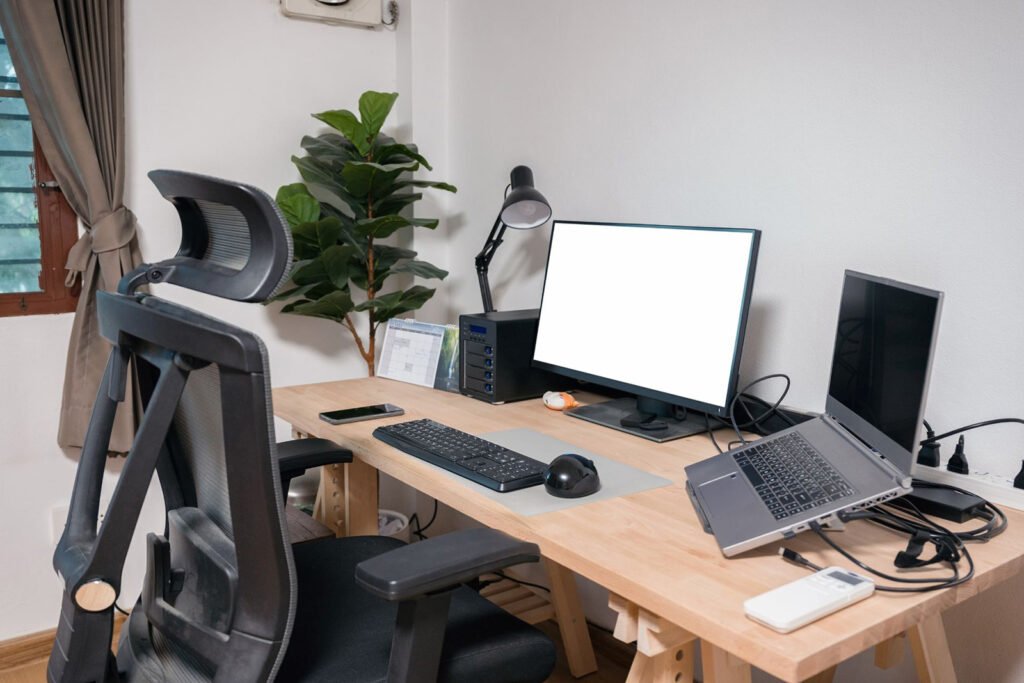
Best for: Visual thinkers who get distracted by color and visual noise
Color is stimulating. That is not always a good thing when you are trying to focus.
The monochrome desk setup limits the color palette of your entire workspace to two or three shades — usually white, black, and a neutral like gray, beige, or warm wood.
Every object on the desk adheres to this palette. Black monitor, white desk, gray keyboard, natural wood desk pad. No bright blue headphones. No yellow sticky notes. No colorful sticker on the laptop.
Why Color Reduction Works for Focus
When your visual field has color variation, your brain processes each color shift as a small stimulus. Reduce the variation and you reduce the visual noise.
That’s one reason many writers and creatives use distraction-free writing apps that are simply black text on a white screen. The absence of visual complexity makes it easier to stay inside your own thinking.
Building the Palette
Pick your base tone first. Common choices:
- All white: Crisp, clean, and highly stimulating in a focused way
- White and warm wood: Warm, calming, easy on the eyes for long sessions
- Black and charcoal: Bold, serious, excellent for deep focus
- Greige (gray-beige): Neutral, soft, gentle on the eyes
Once you have your base, every item that comes onto the desk must fit within it. If it doesn’t match — it doesn’t belong.
Estimated cost: Varies widely. The monochrome effect is achieved through curation, not necessarily new purchases.
Setup #6 — The Nature-Infused Minimal Office
Best for: Those who feel grounded by natural elements but still prefer clean lines
Minimalism should not be confused with something sterile. Nature actually supports focus — and a small amount of natural material in your workspace can improve your mood and reduce stress without adding visual clutter.
This setup incorporates one or two natural elements into an otherwise clean, simple layout.
The Right Natural Elements (and the Wrong Ones)
Not everything from nature belongs on a minimal desk. Here’s what works and what doesn’t:
Works well:
- One small potted plant (a succulent, snake plant, or single stem in a simple vase)
- A wood desk surface or wood desk pad
- Natural linen or cotton mouse pad
- Stone or ceramic pen holder (holding only two pens, maximum)
Gets cluttered fast:
- Multiple plants of different sizes
- Decorative rocks, shells, or collections
- Woven baskets that become catch-alls
- Dried flower arrangements that shed
The rule is one natural accent per category. One plant. One wood surface. One natural textile. Not three of each.
Biophilic Design and Productivity
According to the Human Spaces report by Interface, employees working in areas with natural elements reported a 15% higher level of wellbeing and a 6% boost in productivity compared to those in environments with no natural features.
One small plant. That’s the price of entry.
Estimated cost: $150–$500 for base setup, plus $10–$40 for a quality plant.
Setup #7 — The Paperless Digital-First Workstation
Best for: Remote workers, developers, and anyone looking to eliminate paper clutter
Paper is the enemy of the minimal desk. It multiplies. It stacks. It covers surfaces. It conceals things that really matter and makes trivial things seem pressing.
The paperless digital-first workstation removes almost all paper from the desk surface.
Tools That Replace Paper
| Paper Item | Digital Replacement |
|---|---|
| Sticky notes | Notion, Apple Notes, or Google Keep |
| To-do lists | Todoist, Things 3, or TickTick |
| Meeting notes | Notion or Obsidian |
| Reference documents | Google Drive or Dropbox |
| Sketches and diagrams | iPad with Apple Pencil or Concepts app |
| Calendar | Google Calendar or Fantastical |
Going paperless doesn’t mean going memoryless. It means shifting your storage from physical to digital — which is searchable, backed up, and takes up zero desk space.
The One Notebook Exception
Most minimal productivity enthusiasts keep just one physical notebook on their desk. Just one.
It’s used for the day’s top three priorities, quick thoughts during calls, and anything that benefits from being handwritten. At the end of each week, anything important gets typed up and the notebook stays clean.
One notebook. Not five. One.
Estimated cost: $100–$400 for desk setup. Digital tools range from free to $15/month.
Setup #8 — The Acoustic Minimal Office
Best for: Remote workers on constant calls, or anyone in a noisy environment
The last setup focuses on what you hear, not just what you see.
A workspace can look completely minimal and still be aurally chaotic. Street noise, household sounds, echoing rooms — these all break concentration just as effectively as visual clutter does.
The acoustic minimal office addresses both dimensions: visual simplicity and sound control.
The Sound-First Approach to Desk Design
Start with the room’s surfaces. Hard floors, bare walls, and uncovered windows all reflect sound and create echo. Soft surfaces absorb it.
In a minimal office, you solve this without making the room look padded or overstuffed:
- One large area rug under and around the desk — absorbs significant room noise
- Thick curtains or linen panels on windows — blocks outside noise and looks clean
- A bookshelf on one wall — books naturally diffuse sound waves
- Slim acoustic panels in a neutral color — mount flush to the wall, barely noticeable
The Minimal Audio Gear Stack
For calls and focused work, keep your audio gear simple:
| Gear | Purpose | Price Range |
|---|---|---|
| Quality over-ear headphones | Deep focus, noise cancellation | $80–$350 |
| Compact USB microphone | Professional call quality | $50–$150 |
| Desk-mounted mic arm | Keeps mic off the surface | $25–$70 |
| Inline cable manager | Keeps mic cable clean | $10–$20 |
The backbone of this stack is the over-ear headphones. A good pair of noise-canceling headphones — such as the Sony WH-1000XM series or Bose QuietComfort line — can drown out a noisy household almost entirely.
Estimated cost: $200–$600 depending on headphone and microphone quality.
How All 8 Setups Stack Up
| Setup | Best Feature | Noise Control | Cost Range | Difficulty to Build |
|---|---|---|---|---|
| One-Monitor Flat Desk | Deep focus surface | Low | $200–$600 | Easy |
| Floating Shelf Workstation | Zero floor space | Low | $80–$250 | Easy |
| Laptop-Only Zen Station | Ultra-portable | Low | $50–$150 | Very Easy |
| Hidden Storage Command Center | Clutter-free surface | Low | $300–$800 | Medium |
| Monochrome Desk Setup | Visual calm | Low | Varies | Easy |
| Nature-Infused Minimal Office | Mood + wellbeing | Low | $150–$500 | Easy |
| Paperless Digital-First Workstation | Zero paper clutter | Low | $100–$400 | Medium |
| Acoustic Minimal Office | Sound + visual calm | High | $200–$600 | Medium |
6 Rules Every Minimal Home Office Should Follow
These six rules help any workspace stay minimal in the long term, regardless of which of the 8 setups you choose.
Rule 1 — If it doesn’t have a job, it doesn’t have a spot. Every item on your desk should serve a purpose. If it serves no purpose outside of decor, it’s visual noise.
Rule 2 — One screen is usually enough. Two screens feel productive but often just double the number of distractions. Try single-screen for two weeks. Most people discover they don’t miss the second one.
Rule 3 — Cables are the fastest way to ruin a clean setup. Before you spend $200 on a new desk, spend $20 on cable management. Velcro ties, cable channels, and one cable box make a dramatic difference.
Rule 4 — Your chair matters more than your desk. A clean desk with an uncomfortable chair is a setup you won’t use. Invest in seating before aesthetics.
Rule 5 — Neutral walls amplify the effect of a minimal desk. A still-clean desk in front of a colorful, busy wall still feels cluttered. A plain wall — even just one — gives your setup a more deliberate, calm look.
Rule 6 — Reset daily, deep clean weekly. A 60-second surface wipe-down at the end of each workday. A five-minute full reset once a week. These two habits are all that stand between a minimal setup and gradually accumulating clutter.
For more gear recommendations and practical advice centered on clean, distraction-free workspaces, Remote Work Desk Setup is worth bookmarking.
FAQs — Minimal Home Office Productivity Setups
Q: Does setting up a minimal home office have to be expensive? A: Not at all. A laptop-only zen station can be built for under $150. The floating shelf workstation costs less than $250. Minimalism is about removing things, not buying them — which often means it costs less than a traditional setup.
Q: What is the single most important change I can make for a distraction-free workspace? A: Cable management. It’s inexpensive, quick, and the visual effect is instant. Even a mediocre desk looks clean and intentional with tamed cables.
Q: Can a minimal office also have two monitors? A: It can, but discipline is required. Two identical monitors mounted on a single dual arm, with no items between them and clean cable routing, can still look minimal. The problem is that dual screens tend to invite multitasking, which works against the distraction-free goal.
Q: How do I stop clutter from building back up after I create a minimal workspace? A: The daily reset habit is the most effective defense. At the end of each workday, return every item to its designated home. It takes less than two minutes and gets the space ready for tomorrow.
Q: What color should I paint my home office for maximum focus? A: Color psychology associates soft blue-gray tones with calm and focus. White walls are clean and reflective. Warm beige is easy on the eyes for long sessions. Avoid bright reds, oranges, or high-saturation colors — these are stimulating, not focusing.
Q: Can a minimal setup work if I have a lot of physical work materials? A: Yes — that’s precisely the purpose of the Hidden Storage Command Center setup. The surface stays clean while all the physical materials live behind closed doors and in organized drawers.
Q: Is it okay to have personal photos or decorations in a minimal office? A: One personal item is fine. A single framed photo or one meaningful object adds warmth without creating visual noise. The key word is one. Two becomes a collection. A collection becomes clutter.
Final Thought — Clear Space, Clear Mind
That’s why the most laser-focused, high-output workers tend to keep clean, simple workspaces.
It’s not about aesthetics. It’s not about following a trend. It’s about removing every small thing that quietly pulls your attention away from the work that matters.
These 8 minimal home office productivity setups are starting points — not rigid templates. Take the elements that fit your work style, your space, and your personality. Leave what doesn’t fit.
Start with one change today.
Clear one corner. Tuck one cable. Remove one item that doesn’t belong.
That’s the first step toward a workspace that helps you think better, focus longer, and finish more.
Clear space. Clear mind. Better work.






