


This is especially true of home office productivity setups used by top remote workers — they contain some surprising secrets. These 5 tips to improve your workspace are clever, time-tested techniques that help you focus better, work faster, and feel better day-to-day.
What Some People Do Who Work From Home
They buy a nice desk. They get a good chair. They open their laptop, pour a coffee, and get to work.
And then — nothing. The distractions creep in. The focus falls apart. The workday has been extended two hours longer than necessary.
Here’s what no one tells you: the most productive remote workers aren’t simply using better equipment. They’re using better systems. The productivity setups of their home office are built around psychology, body mechanics, and some clever hacks that most people haven’t even thought about.
This article reveals the details behind 5 of these setups. These are not Pinterest-worthy offices with $3,000 standing desks. These are real, practical setups used by freelancers, remote employees, and work-from-home veterans who learned — through trial and error — what actually works.
Whether you are an absolute beginner to working from home or a veteran, at least one of these setups will help transform the way you work.
Why Most Home Office Advice Falls Flat
Before diving in, let’s discuss the reason that most home office tips don’t work for people.
Most advice focuses on things. Buy this monitor. Get this lamp. Use this desk organizer.
But things don’t create productivity. Structure does.
The remote workers who consistently excel have built their workspaces around three core principles:
Trigger → Focus → Recovery
Everything in their setup has been created to either trigger a focused state of mind, maintain that mentality throughout deep work, or assist in recovery so they return strong after breaks.
When you view each of the five setups below with that perspective, you’ll see exactly why they work — and how to translate the same thinking into your own space.
How We Picked These 5 Setups
These setups are inspired by trends seen across the remote work community — from productivity subreddits, freelancer groups, and veteran work-from-homers who have shared what’s actually worked in practice.
Each one was selected because it:
- Addresses a specific, well-known productivity problem
- Can be built or adapted on nearly any budget
- Has a clear psychological or physical motivation behind it
- Is different enough from the rest to serve distinct needs
You don’t need all five. Read each of them and choose the setup — or combination of components — that matches your work style and space.
Setup 1 — The “Context Switch” Dual-Zone Desk
The Problem It Solves: Mixing work and personal life at the same workstation
This is one of the most common home office productivity setups for veteran remote workers — and one of the least discussed.
The concept is simple. Rather than a single desk that serves everything, you carve out two dedicated zones in the same space.
Zone A is for focused, deep work. This is your writing, coding, design, or most brain-heavy work area.
Zone B is for communication and admin. Emails, Slack messages, calls, calendar management — anything that isn’t deep thinking goes here.
Designing It Without Two Desks
You do not need two separate desks. Most people get this setup going with one L-shaped desk or simply a main desk and a small side table.
- Left side of desk = deep work zone (one monitor, no phone, no notifications)
- Right side of desk = communication zone (second monitor or laptop, phone dock, notepad)
As you physically move to the other side, your brain registers a context switch. You’re no longer in “email mode” when attempting to draft a report. You’re no longer being sucked into deep work when you ought to be responding to time-sensitive messages.
The Science Behind It
This works because of what researchers call environmental context cues. Your mind begins to associate specific locations with certain types of work. Eventually, just being in your deep work zone triggers a focused mental state — no willpower necessary.
| Zone | Task Type | Setup Elements |
|---|---|---|
| Deep Work Zone | Writing, coding, designing, analysis | Single monitor, no phone, notifications off |
| Communication Zone | Email, calls, Slack, admin | Laptop or second screen, phone dock, notepad |
What Remote Workers Are Saying About It
Freelancers using this setup say they no longer “bleed” between task types. Flipping between focused concentration and rapid communication stops feeling jarring — because each mode has its own physical home.
Setup 2 — The Sensory Control Station
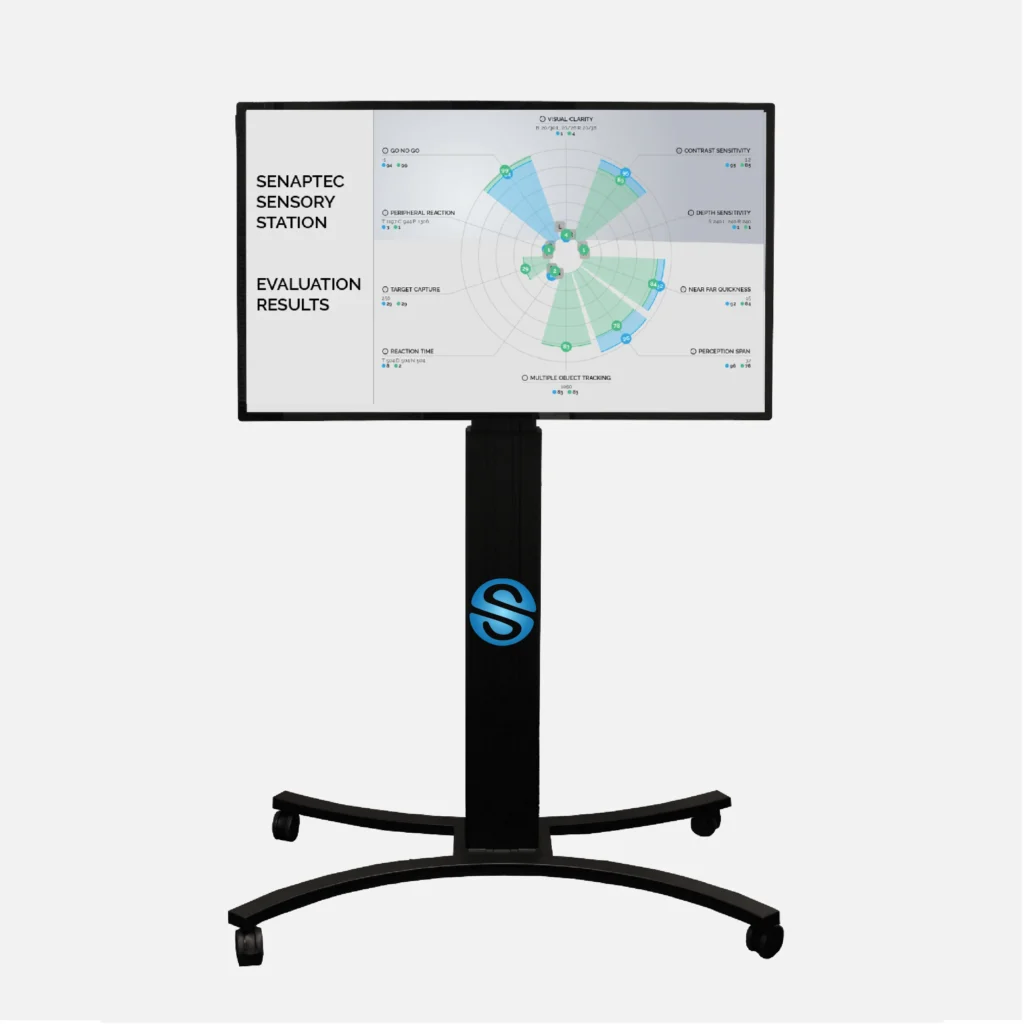
The Problem It Solves: Unpredictable noise, light, and temperature breaking focus
For most people, home office setup is more about the visual picture. Desk. Chair. Monitor. Done.
But your senses don’t care about your monitor. Your ears have been taking in sounds from throughout the house. Your body is reacting to the warmth of the room. Your eyes are responding to glare, flicker, and light color — whether you realize it or not.
Highly focused remote workers create what you might call a sensory control station. They take active control of sound, light, and temperature to create an environment that keeps the nervous system calm and focused.
Sound: The Layer System
Great remote workers don’t simply wear headphones. They use a layered sound approach:
Layer 1 — Noise blocking: Over-ear headphones (passive noise reduction) keep physical sound waves out.
Layer 2 — Noise masking: Brown noise, white noise, or ambient soundscapes (like the sounds of rain or a coffee shop) fill the silence that can feel distracting or too quiet.
Layer 3 — Task-specific audio: Many use lyric-free music at a specific BPM for creative or writing work. For analytical work, silence under the noise masking layer works best.
Apps like Brain.fm are popular in the remote work community specifically because they’re designed to support different cognitive states — focus, relaxation, and sleep — using audio tuned for the brain, not just for entertainment.
Light: Color Temperature Is Everything
The average person sets up a lamp and calls it done. Seasoned remote workers modulate color temperature throughout the day.
| Time of Day | Ideal Light Color | Effect on Brain |
|---|---|---|
| Morning (7–11am) | Cool white (5000–6500K) | Boosts alertness and focus |
| Midday (11am–3pm) | Neutral white (4000K) | Sustains steady energy |
| Afternoon (3–6pm) | Warm white (2700–3500K) | Reduces eye strain |
| Evening (after 6pm) | Warm amber | Supports wind-down, better sleep |
A smart bulb ($10–$20) and an app make this automatic. It’s one of the most high-impact, low-cost upgrades for any home office productivity setup.
Temperature: The Forgotten Variable
A study from Cornell University found that workers made far fewer mistakes and were more productive when the office was kept at around 77°F (25°C). Below 68°F (20°C), focus and output fall off significantly.
If you’re cold, your body is competing with your brain for resources. A small space heater ($25–$40) directed at your feet — not a wall on the other side of the room — makes a measurable difference.
Setup 3 — The “Analog Island” in a Digital Ocean
The Problem It Solves: Digital fatigue and decision overload from too many screens
Here’s one of the most counterintuitive secrets in the remote work world: the most digitally productive people often maintain a deliberately low-tech zone at their desk.
They call it different things. An “analog corner.” A “thinking table.” A “paper zone.” Whatever you call it, the concept is consistent: one portion of the workspace is purposefully screen-free.
For more desk layout ideas and workspace guides built around focused remote work, Remote Work Desk Setup is a great resource worth bookmarking.
What Goes in the Analog Island
- A physical notebook (not a tablet — the real thing)
- A single pen or pencil
- A small whiteboard or sticky note section on the wall
- Optional: a physical inbox tray for papers and tasks
That’s it. No screens. No devices. No notifications.
Why It Works So Well
Screens demand constant micro-decisions. Every notification, every tab, every flashing cursor is asking your brain to choose. Over the course of an eight-hour workday, that translates to thousands of tiny decisions — all depleting the same mental energy you need to do your best work.
The analog island gives your brain a place to think without being asked to decide.
Many remote workers use their analog island for:
- Morning planning (writing out the day’s top 3 priorities)
- Brainstorming and mind mapping
- Working through a problem that keeps getting stuck on screen
- End-of-day reviews and wrap-up notes
The “Paper Brain Dump” Technique
One technique beloved by remote workers with this setup: before diving into any deep work block, spend 5 minutes doing a brain dump on paper. Write down everything that’s on your mind — tasks, worries, ideas, random thoughts.
Getting it out of your head and onto paper clears working memory. You’re no longer subconsciously tracking those things while trying to concentrate on something else.
It sounds almost too simple. But those who use it consistently say it’s one of the most powerful 5-minute habits in their workday.
Setup 4 — The Movement-Integrated Workspace
The Problem It Solves: Energy crashes, brain fog, and the 2pm slump
Sitting still for 8 hours is one of the quickest ways to kill your productivity.
This is not just about standing desks (though those help). The most successful remote workers build movement directly into their workspace layout — not as a break from work, but as one of the core principles of how they design their physical environment.
The Three-Position Rule
Top-performing remote workers typically work from three distinct physical positions throughout the day:
Position 1 — Seated: Deep focus work, writing, detailed tasks.
Position 2 — Standing: Email, calls, lighter cognitive tasks, creative brainstorming.
Position 3 — Moving: Phone calls taken while walking, audio content consumed during light exercise, verbal dictation while pacing.
The goal is to never stay in the same position for more than 60–90 minutes at a stretch.
Building Movement Into Your Layout
A treadmill desk is not essential. Here’s how real remote workers bring movement into their setups on a budget:
| Element | Cost | Purpose |
|---|---|---|
| Standing desk riser | $40–$75 | Position switching without leaving the desk |
| Resistance band on chair leg | $8–$15 | Seated leg stretches during calls |
| Small balance board | $25–$40 | Engages core while standing |
| Bluetooth headset | $20–$50 | Walking calls |
| Yoga mat beside desk | $15–$25 | 2-minute stretch breaks between tasks |
The 20-8-2 Formula
A growing number of remote workers follow what’s called the 20-8-2 formula for their movement cycle:
- 20 minutes seated
- 8 minutes standing
- 2 minutes moving or stretching
Repeat throughout the day. This keeps blood flowing to the brain, avoids the physical fatigue that comes from long periods of sitting, and maintains stable energy levels without relying on caffeine.
Setup 5 — The “End of Day Signal” Ritual Setup
The Problem It Solves: Never truly disconnecting from work when home and office share the same space
This is the setup that virtually no productivity article ever discusses — and it’s possibly the most critical one on this list.
Getting started isn’t the biggest challenge for most remote workers. It’s stopping.
There’s no commute to signal the brain that the workday is over when your office is in your home. No physical transition. No walking out of a building. The laptop is always there. The email is always one click away.
Over time, this destroys work-life balance and leads to burnout. And burnout is the single biggest long-term threat to remote work productivity.
The most experienced remote workers fix this with a ritual-based shutdown setup — a specific sequence of physical actions that train the brain to recognize: work is done.
What a Shutdown Ritual Setup Looks Like
The physical space supports the ritual. Here’s how it’s typically built:
Step 1 — The Review Station A dedicated place (often the analog island from Setup 3) where you spend 5 minutes summarizing what you accomplished and noting tomorrow’s top 3 priorities.
Step 2 — The Clear Desk Protocol Everything work-related is physically put away or covered. Laptop closed. Notebook closed. Monitor turned off or covered with a cloth. This visual reset matters enormously.
Step 3 — The Transition Object Many remote workers have a specific physical object they pick up or put down to mark the end of the workday. A specific mug they wash and put away. A plant they water. A journal they close and place on a shelf. The object is symbolic — but the brain responds to symbols.
Step 4 — The Exit Move Whether or not you’re heading out into the world, you physically leave the workspace. Walk to another room. Go outside for 5 minutes. Change clothes. Do something that creates a spatial and sensory break from the work environment.
Why This Belongs in a Productivity Article
Because rest is part of productivity.
The remote workers who sustain high performance over years — not just weeks — are the ones who protect their recovery as fiercely as they protect their focus time. A shutdown ritual setup isn’t about ending the day. It’s about making tomorrow’s output possible.
Putting the 5 Setups Together: A Quick Reference
| Setup | Core Problem Solved | Key Element | Budget Range |
|---|---|---|---|
| 1. Context Switch Dual-Zone | Blended work/personal energy | Two physical zones on one desk | $0–$80 |
| 2. Sensory Control Station | Noise, light, temperature | Layered sound + smart bulb | $30–$100 |
| 3. Analog Island | Digital fatigue, decision overload | Paper notebook + pen + whiteboard | $10–$30 |
| 4. Movement-Integrated Workspace | Energy crashes, brain fog | Standing riser + movement schedule | $50–$130 |
| 5. End of Day Signal Ritual | Work-life bleed, burnout | Physical shutdown sequence | $0–$20 |
You don’t have to do all five at once. Begin with the one that solves your biggest current problem. Build from there.
How to Stack These Setups for Greater Impact
The real magic happens when you take pieces from multiple setups and create your own hybrid system.
Here’s an example of what a day could look like in a fully stacked setup:
7:30am — Get to desk, do a 5-minute paper brain dump at the analog island. Write today’s top 3 priorities.
8:00am — Switch into deep work zone. Put on headphones with brown noise. Set light to cool white. Start first deep work session (seated).
9:30am — Change to standing position. Move to communication zone. Process email and messages.
10:00am — Back into deep work zone for second focused block.
12:00pm — Walking call (Bluetooth headset). Movement break.
1:00pm — Afternoon work session. Shift light to neutral white. Alternate between standing and sitting every 30 minutes.
5:00pm — Shutdown ritual. Review station. Clear desk. Transition object. Exit move.
This is not a strict schedule — it’s an adaptable framework. The setups support the workflow instead of commanding it.
FAQs About Home Office Productivity Setups
What really makes a home office productivity setup work?
The most successful home office productivity setups work so well because they are designed around how the brain actually operates — not just for convenience or aesthetics. Setups that incorporate environmental cues, sensory control, and physical triggers cultivate automatic focus states, thereby reducing the willpower needed to initiate and sustain deep work.
Do I have to spend a lot of money to build an effective home office?
No. All but one of the setups in this article can be built for less than $50, and Setup 3 (the Analog Island) costs next to nothing. The most powerful changes are structural and behavioral — not expensive.
How can I stop getting distracted at home?
Distraction in home offices typically stems from two sources: environmental (noise, clutter, visual chaos) and digital (notifications, tab-switching, blurred work-personal boundaries). Setup 1 (Dual-Zone) and Setup 2 (Sensory Control) directly address both. Start with those.
What’s the best home office setup for someone who works long hours?
For long-hour workers, Setup 4 (Movement-Integrated Workspace) and Setup 5 (End of Day Signal Ritual) are the most critical. Long hours without movement accelerate physical and mental fatigue. A shutdown ritual prevents the burnout that eventually catches up with most heavy remote workers within 6–12 months.
Can these setups work in a small apartment or shared space?
Yes. Setup 3 (Analog Island) and Setup 5 (Ritual Shutdown) require very little dedicated space. The Dual-Zone desk can be assembled on a single standard desk using space positioning alone. The Mobile Cart setup is also an option for people without a permanent workspace.
How long before these setups feel different?
Most people notice a difference within 3–5 days of consistently using environmental zone cues and the sensory control system. The shutdown ritual typically takes 1–2 weeks to feel natural — but once it clicks, most remote workers say they can’t imagine working without it.
What’s the most underrated element of any home office productivity setup?
Lighting. Almost everyone underestimates it. The right light color at the right time of day has a direct effect on alertness and cognitive performance — and a smart bulb costs $15. It’s the highest-value, lowest-cost upgrade available to most home office productivity setups.
The Real Secret Behind All 5 Setups
Here it is, plainly stated:
The most productive remote workers don’t have better willpower. They have better environments.
They’ve engineered their spaces to make focus the path of least resistance. To make distraction harder. To make rest and recovery a built-in part of the system rather than an afterthought.
Every home office productivity setup on this list is built on that same foundation. You’re not relying on motivation to show up. You’re creating a space that practically pulls you into focused work — and then lets you walk away clean at the end of the day.
Pick one setup. Apply it this week. Then build from there.
That’s the real secret. Not a single perfect office. A series of small, smart decisions — stacked over time — that add up to a workspace (and a workday) that actually works for you.
The best home office isn’t the most expensive one. It’s the one that’s been thoughtfully built around how you think, move, and recharge. Start building yours today.








