

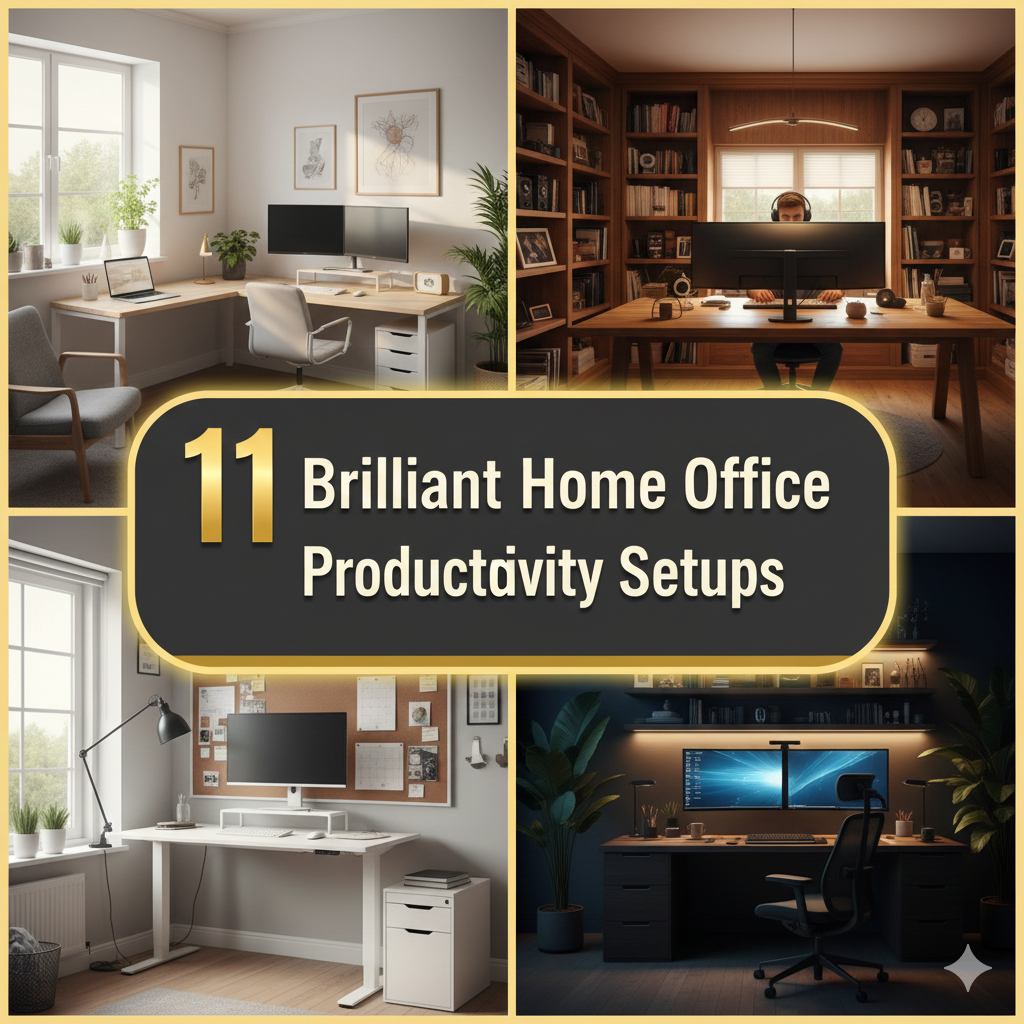
Working from home seems like a dream — right up until you find out your “office” is wedged between a bookshelf and a wall.
Sound familiar?
The good news is a small footprint doesn’t mean a small output. With the right setup, even your home’s most cramped corner can teem with productivity. Whether you have a 4-foot wall gap, an awkward bedroom nook, or a closet you’re finally ready to convert, there’s a genius solution out there for you.
This post guides you through 11 clever, functional, and affordable at-home productivity setups engineered for snug spaces. All of them are geared to help you work smarter, stay organized, and even enjoy your workspace — no matter how minimal it is.
Let’s get into it.
Why Your Corner Is More Important Than You Think
Before we dive into the setups, take a minute to discuss why your workspace layout can impact the way that you work.
Research at Princeton University has shown that messy, disorganized environments decrease your brain’s ability to focus. If your space is compact yet poorly organized, every inch feels even more constricting — and the pressure leaches straight into your work.
On the other hand, a clean and orderly corner office setup is able to:
- Cut down on distractions
- Accelerate the time it takes for you to enter “work mode”
- Minimize physical stress caused by bad posture
- Make you feel professional and in control
It’s not enough to shove a desk in the corner. The idea is to create a space that collaborates with you rather than competes with you.
Other Considerations Before You Choose Your Setup
Every corner is different. Do not choose a setup before thinking about these quick questions:
| Factor | What to Consider |
|---|---|
| Amount of space | How many square feet or inches do you have? |
| Natural light | Is there a window close by? |
| Power access | Where’s the nearest outlet? |
| Noise level | Is the space near a TV, kitchen, or hallway? |
| Storage needs | Do you require tons of storage or just the essentials? |
| Work type | What kind of work do you need to do — dual monitors, a drawing space, or just a laptop? |
When you know your answers, selecting the correct setup is a lot easier.
11 Genius Home Office Productivity Setups
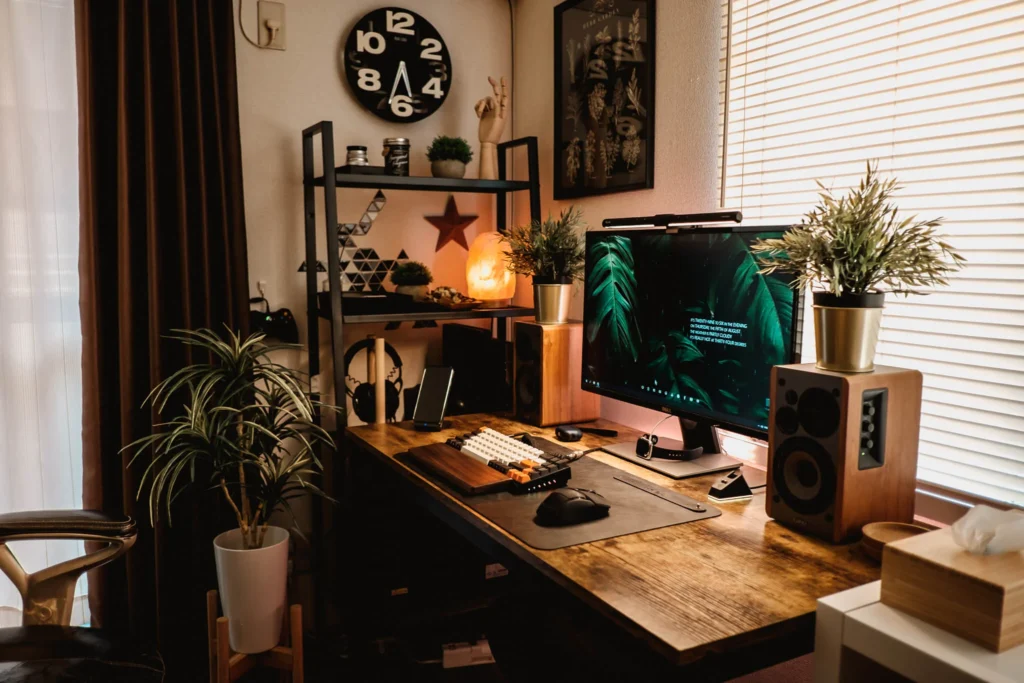
Setup 1: The Classic L-Shaped Corner Desk
The L-shaped desk is the gold standard of corner office setups — and for a good reason.
It wraps around two walls, giving you more surface area than a desk in a straight line while taking advantage of the corner space that’s often wasted. You have one side for your primary setup (computer, monitor, keyboard) and another for paperwork, a secondary display, or a notepad.
Why it works:
- Doubles your usable desk space
- Keeps different tasks physically separated
- Feels structured without being bulky
Best for: Remote workers, students, gamers, or anyone who multitasks.
Pro tip: Save desk surface by adding a monitor arm. This in itself can provide you with 30–40% more usable space.
Price range: $80–$400, depending on brand and material.
Setup 2: The Floating Wall Desk (No Legs Needed)
If your nook is extra tight — say, barely 3 feet wide — a floating wall-mounted desk might be your best friend.
These desks mount directly to the wall via brackets. With no legs touching the floor, they make the room feel more spacious and offer you additional floor space.
They’re available in widths as narrow as 24 inches, perfect for a laptop and a coffee mug.
Why it works:
- Frees up floor space completely
- Installable at any height (ideal for standing desk flexibility)
- Clean, minimal look
Best for: Small bedrooms, studio apartments, or any spot where floor space is at a premium.
Pro tip: Add two floating shelves over it for storage. All of a sudden, your little corner has vertical storage, a workspace, and a very clean aesthetic — all in one.
Setup 3: The Closet Office (Cloffice)
The “cloffice” — a closet repurposed into an office — has exploded in popularity since remote work became mainstream.
Here’s the magic: when your work is done, you close the doors. Your work disappears. Your brain can fully relax.
A standard reach-in closet (approximately 6 feet wide and 2 feet deep) provides ample space for a desk, shelves, and even a small pegboard to hang items.
What you’ll need:
- Remove the clothing rod
- Put a flat desk surface in (a shelf works, or a custom plank)
- Add LED strip lights inside (closets are dark)
- Use the upper shelf for storage
- Add a power strip along the back wall
Why it works:
- Perfect work/life separation in a tiny space
- Completely hides your workspace when not in use
- Uses space that’s often wasted
Best for: Parents working from home, people in shared living spaces, or anyone who has a difficult time “switching off” after work.
Setup 4: The Dual-Monitor Corner Command Center
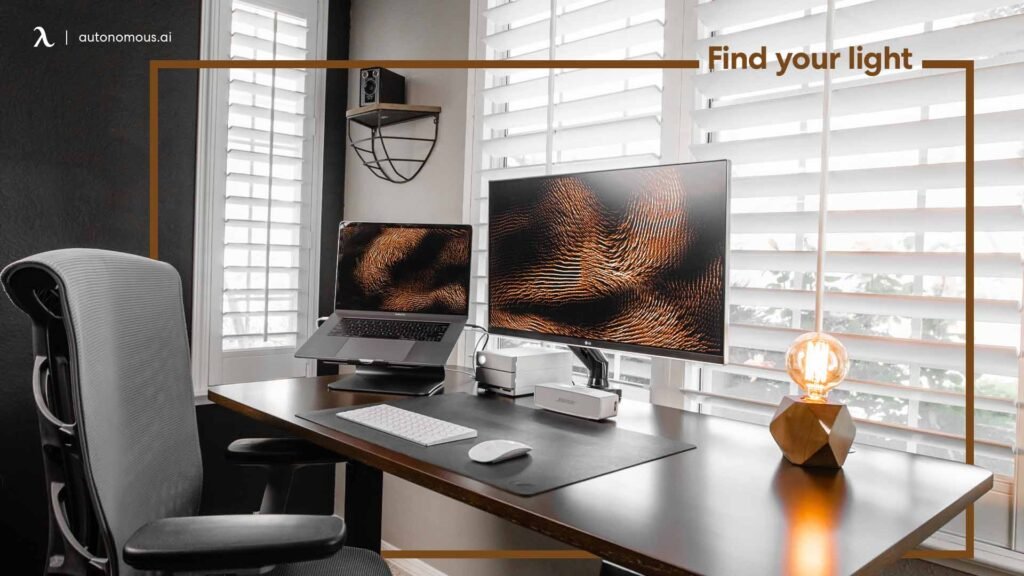
For those who need a lot of screen real estate — such as video editors, developers, or stock traders — a dual-monitor corner setup can turn a tight corner into a full-on command center.
The trick is monitor arms instead of stands. Both arms mount to the desk and can shoot both screens out in an arc around you, giving you an immersive setup without taking up any space on your desk.
Layout tips:
- Place your main monitor directly in front of you
- Angle the second monitor roughly 30–45 degrees to one side
- Center your keyboard in front of the main display
Why it works:
- Maximum display area in minimal physical space
- Reduces neck strain with accurate monitor placement
- Looks incredibly professional
Best for: Developers, designers, content creators, or heavy multitaskers.
Must-have accessory: A cable management tray under the desk. Having two screens means cables can get messy very easily.
Setup 5: The Pegboard Power Wall
This one is all about vertical space.
Fix a pegboard on the wall directly above your corner desk. Then fill it with hooks, little shelves, bins, and holders for everything you use regularly — pens, headphones, notebooks, your router, a small plant, even a whiteboard.
Pegboards are inexpensive (often less than $30 at hardware stores), completely customizable, and entirely rearrangeable. If your requirements shift, simply relocate the hooks.
Why it works:
- Keeps your desk surface completely clear
- Puts everything you need within arm’s reach
- Highly visual — you can see everything at a glance
Best for: Creative types, crafters, writers, or anyone who feels like they’re drowning in desk clutter.
Pro tip: Prior to hanging the pegboard, paint it a fun color. It instantly makes your corner feel intentional rather than haphazard.
Setup 6: The Standing Desk Corner Setup
Sitting all day is bad for your body. A standing desk corner setup enables you to swap between sitting and standing throughout the day — and in a small corner, the right kind can do it without consuming extra space.
Seek out a corner-friendly sit-stand desk or desktop converter (a riser that sits on top of your existing desk and lifts the monitor and keyboard up when you want to stand).
Health benefits of switching positions:
- Reduces back pain
- Improves circulation
- Helps with afternoon low energy levels
- Burns a few more calories throughout the day
Why it works:
- Encourages improved posture and overall physical wellbeing
- Does not take up more space than a regular desk
- Adjustable for various individuals using the same space
Best for: Anyone spending 6+ hours a day at a desk.
Setup 7: The Under-Stairs Corner Nook
Got a staircase in your home? The dead space beneath it is often entirely unused. But with a little clever planning, it becomes one of the most charming and functional home office productivity setups you can build.
An under-stairs space is actually ideal for a corner desk given its triangular shape. You get a recessed, cocoon-like workspace that naturally dampens distractions on two or three sides.
What to add:
- A custom-cut desk that hugs the slope of the stairs
- Built-in shelving in the taller sections
- Great lighting (this area gets very little natural light)
- A comfortable chair that fits the height
Why it works:
- Uses completely dead space in the home
- Naturally contained — excellent for concentration
- Becomes a unique, conversation-worthy workspace
Best for: Homeowners who are comfortable undertaking a minor DIY project or hiring a carpenter to customize the fit.
Setup 8: The Minimalist One-Monitor Zen Corner
Not everyone has a need for multiple screens and gadgets. The most productive setup is often also the simplest one.
The minimalist zen corner is based on a simple principle: if you don’t use it every day, it doesn’t belong on or near your desk.
Here’s what a minimal corner needs:
- One monitor or laptop
- One keyboard and mouse
- One notebook
- One pen cup (with a few pens)
- Nothing else on the desk surface
Why it works:
- Fewer objects = fewer distractions
- Easier to clean and maintain
- Reduces decision fatigue before you begin working
- Fits in the smallest corner spaces
Best for: Writers, coders, students, or deep-focus workers who don’t need a bunch of tools.
Pro tip: Put a single wheeled drawer unit under the desk. It stows everything out of sight and rolls away when you want more leg room.
Setup 9: The Budget Corner Office Under $150
You don’t need to spend thousands to create a great workspace. Here’s a complete corner office setup that runs under $150 total.
| Item | Estimated Cost |
|---|---|
| IKEA LINNMON corner desk | $50–$70 |
| Simple desk lamp | $15–$20 |
| Pegboard + hooks | $25–$35 |
| Power strip with surge protector | $15–$20 |
| Small drawer unit or bin | $10–$15 |
| Total | ~$115–$160 |
This combination provides a clean surface, quality lighting, vertical storage, and organized power — everything you need to work efficiently.
Why it works:
- Affordable for renters, students, or anyone on a tight budget
- Easy to assemble without special tools
- Completely functional for standard remote work
Best for: College students, new remote workers, or anyone building a home office from the ground up.
Setup 10: The Tech-Forward Smart Corner Office
If you love gadgets and want your corner office running as efficiently as possible, a smart tech setup can take things to a whole new level.
Here’s what a tech-savvy corner might include:
Smart lighting: Philips Hue or similar bulbs allow you to adjust color temperature throughout the day. Cooler light in the morning for focus, warmer light in the evening for winding down.
Voice assistant: A small Amazon Echo or Google Home on your desk lets you set timers, check your calendar, play focus music, or answer quick questions without breaking your workflow.
Wireless charging pad: No more searching for cables. Keep one charging pad at the corner of your desk.
Noise-canceling headphones: In a cramped space — particularly in a shared home — these are practically essential. They signal to others that you’re working and drown out background noise.
Smart power strip: Automate when devices turn off. Save energy and build a consistent “end of workday” ritual.
Why it works:
- Automates small tasks that break your workflow
- Creates a consistent, optimized environment
- Streamlines your daily work routine
Best for: Tech enthusiasts, remote professionals, or anyone who wants peak efficiency from their corner.
Setup 11: The Dual-Purpose Corner (Office + Hobby Space)
One of the biggest challenges of working from a corner is that you want that space to do double duty — serving as an office during the day and something else at night.
This setup solves that.
The trick is selecting furniture and storage solutions that conceal your work gear. Here are a few ways to make it work:
- A murphy desk: Folds flat against the wall when not in use. You’d never know it’s a desk.
- Rolling cart storage: Work supplies roll into a closet each evening.
- Reversible pegboard: Work tools on one side, hobby supplies (art, music gear, etc.) on the other.
- A fold-down table: Converts from a desk by day to a craft table or dining extension by night.
Why it works:
- Gets the most out of your corner 24/7
- Keeps work and leisure mentally separate
- Ideal for small apartments or shared homes
Best for: Artists, crafters, musicians, gamers, or anyone who wants their space to be multifunctional.
Quick Comparison: Which Setup Is Right for You?
| Setup | Best For | Approx. Cost | Space Needed |
|---|---|---|---|
| L-Shaped Desk | Multitaskers | $80–$400 | Medium corner |
| Floating Wall Desk | Tiny spaces | $50–$200 | Very small |
| Cloffice | Work/life balance | $50–$300 | Standard closet |
| Dual Monitor Command Center | Power users | $200–$600 | Medium/large corner |
| Pegboard Power Wall | Visual organizers | $30–$100 | Any size |
| Standing Desk Corner | Health-conscious workers | $150–$500 | Medium corner |
| Under-Stairs Nook | Homeowners | $100–$800 | Stairs space |
| Minimalist Zen Corner | Deep focus workers | $50–$200 | Very small |
| Budget Office Under $150 | Students/beginners | Under $150 | Small corner |
| Tech-Forward Smart Office | Tech enthusiasts | $300–$800 | Medium corner |
| Dual-Purpose Corner | Multi-use needs | $100–$500 | Medium corner |
5 Tips That Work on Any Corner Setup
Regardless of which setup you go with, these five tips apply to every single one of them.
1. Always manage your cables. Messy cables are a major source of visual clutter in a small workspace. Use cable clips, velcro ties, or a cable management tray to keep wires tucked away and out of sight.
2. Add a layer of good lighting. Overhead lights rarely do the trick. A good desk lamp — ideally one with adjustable brightness — prevents eye strain and makes your space feel more alive and productive.
3. Use vertical space aggressively. If floor space is short, go up. Shelves, pegboards, and wall-mounted storage can triple your storage capacity without touching your desk at all.
4. Keep your desktop — physical and digital — clean. A messy desk equals a messy mind. Consider using a “one in, one out” rule — every time something new hits your desk, something old disappears.
5. Personalize just enough. Include a couple of personal items — a small plant, a photo, or an inspirational quote. These really make it feel like a space you own, which actually increases how much time you want to spend working there.
For even more inspiration and gear recommendations, check out Remote Work Desk Setup — a great resource dedicated to helping remote workers build better, more efficient workspaces.
FAQs About Home Office Productivity Setups for Tight Corners
Q: What is the smallest space you can realistically set up a home office in? A: A functional workspace can be set up within just 24–30 inches of wall space. A 24-inch-wide floating wall-mounted desk can accommodate a laptop, a small lamp, and a notebook — that’s really quite enough to work from.
Q: How can I minimize noise in a corner office within a busy home? A: Noise-canceling headphones are the quickest remedy. You could also place a small rug under your chair (to help absorb sound), hang a thick curtain nearby, or use a white noise machine. Soft materials absorb sound better than hard surfaces.
Q: What’s the best lighting for a corner workspace? A: Natural light is the best option, but if your corner lacks it, use a daylight LED desk lamp (5000K color temperature). Steer clear of warm yellow lights during work hours — they signal your brain that it’s time to relax, not focus. According to research from Harvard Medical School, light temperature has a measurable effect on alertness and sleep cycles.
Q: What’s the best way to make a corner office less claustrophobic? A: Use light shades on the walls and desk. Add a mirror nearby to visually expand the space. Keep the desk surface clear. Good lighting also makes a big difference — dark spaces feel smaller.
Q: Is an L-shaped desk worth it in a small room? A: Yes, almost always. An L-shaped desk makes use of dead corner space and provides you with more surface area than a straight desk built for the same footprint. In a tiny room, it feels less confined than a long straight desk pushed against one wall.
Q: Can I set up a home office in a rental without making permanent changes? A: Absolutely. Freestanding brackets for floating desks, freestanding shelving units, pegboards hung with removable strips, and furniture on wheels are all renter-friendly solutions that don’t involve drilling or permanent fixtures.
Q: What chair fits best in a tight corner? A: Seek out armless chairs or models with flip-up armrests — these take up less horizontal space. A small, wheeled task chair lets you move freely without needing a large clearance area to stand up.
Final Thoughts: Your Corner Could Be Your Greatest Asset
The fact is, some of the most focused, productive workspaces on Earth are small.
A tight corner, when designed right, eliminates distractions and keeps everything within reach — so your brain has a dedicated place that means business.
You don’t need an extra bedroom or a fancy office. You need a setup that’s right for your specific corner, your specific way of working, and your specific budget.
Start with one of the 11 home office productivity setups in this guide. Even minor adjustments — a floating desk, a pegboard, or a cloffice conversion — can dramatically change how you feel about working from home.
Your best work is waiting. And it’s happening in that little corner you’ve been overlooking.






