


One Doesn’t Have to Break the Bank to Work Like a Pro
You would hardly believe that building a productive home office requires thousands of dollars. Fancy standing desks. Ergonomic chairs. Triple monitors. Premium gadgets.
But here’s the truth — none of that is necessary.
For less than the cost of a dinner out, you can have a well-considered place to work. Whether you’re a student, a remote worker, a freelancer or someone starting a side hustle, you can set up an environment that actually works — all for less than $100.
This guide takes you through 10 real, tested setups in the world of budget home office productivity. Each one is designed for a particular need, budget and style. You’ll see tips, product recommendations and a breakdown of how to spend your money wisely.
Let’s get into it.
Why Your Workspace Actually Matters
Before the setups, a word about why this matters at all.
Your environment has a direct impact on how well you focus, according to research. An untidy, unstable environment saps your energy. A tidy, orderly one — even a simple one — signals to your brain that it’s in “work mode.”
You don’t need an expensive set of tools to get there. You need the right ones.
| Factors That Affect Productivity | Impact Level |
|---|---|
| Proper lighting | Very High |
| Comfortable seating position | Very High |
| Organized desk space | High |
| Minimal distractions | High |
| Monitor/screen height | Medium–High |
| Background noise control | Medium |
Small changes — better lighting, a phone stand, a cable organizer — can even alter how you feel about your work-from-home setup.
Setup #1 — The No-Frills Starter Desk ($35–$45)
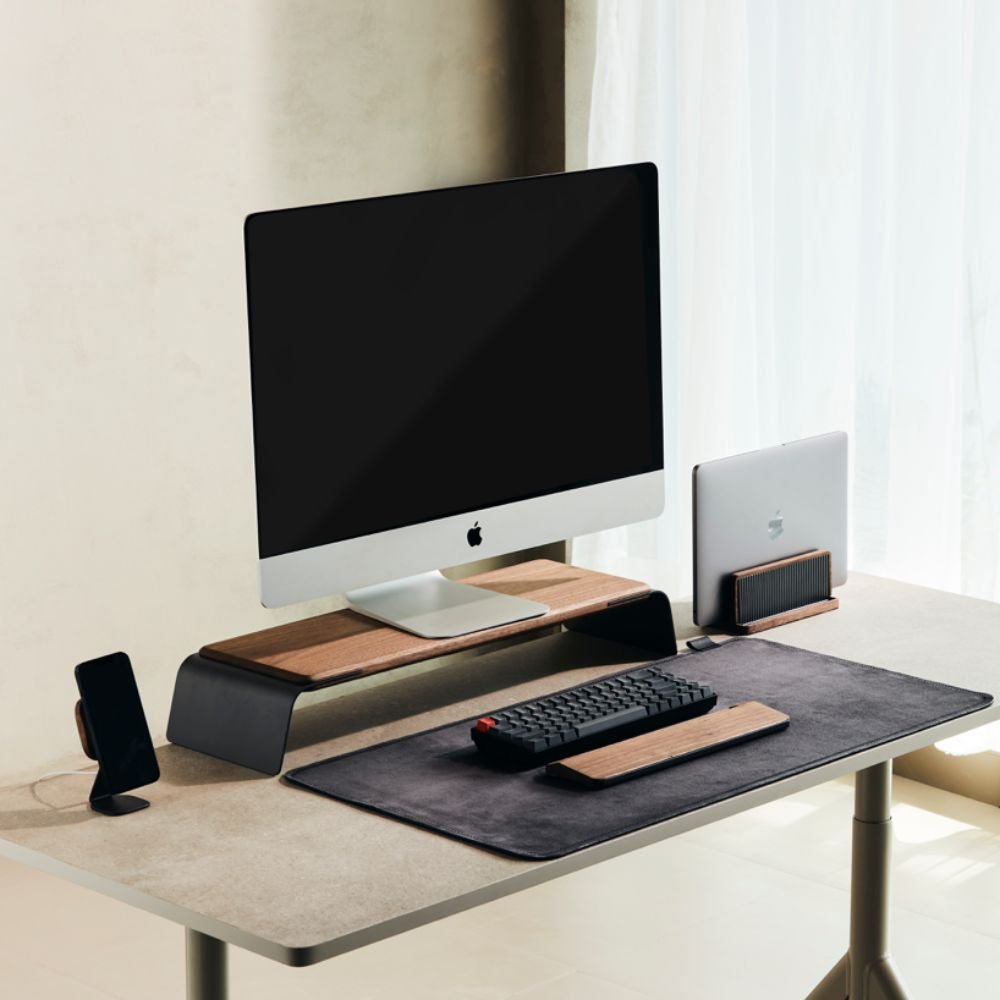
Best for: New remote workers or students getting started.
This setup reduces it all to bare essentials. No extras. Exactly what you need to make things happen.
What You’ll Need
- Foldable lap desk (~$20) — use on couch, bed, or floor
- Phone stand (~$8) — holds your phone up and visible without requiring hands
- USB hub, 3-port (~$10) — provides additional inputs for your laptop
- Pack of sticky note organizers (~$5) — for jotting down quick tasks
Why It Works
The foldable lap desk is the hero here. It provides a flat, stable surface wherever you sit. Combine it with a phone stand so that you’re not hunched over your screen, and there’s already some improvement to your posture.
The USB hub is a quiet game-changer. Most laptops only have two ports. One goes to your charger. The hub gives you three more — for a mouse, a flash drive and whatever else.
This arrangement demonstrates that you don’t need an actual desk in order to get work done. You need a system.
Total: ~$43
Setup #2 — The Freelancing Pro ($70–$85)
Ideal for: Writers, designers or anyone doing creative work for clients.
The most important thing freelancers need is focus. Distractions kill deadlines. This setup is designed to keep you locked in.
What You’ll Need
- Wired mouse (~$12) — faster, more reliable than wireless for design work
- Laptop stand (~$18) — lifts the screen to eye level
- Noise-canceling earbuds (~$25) — the inexpensive options from brands like Anker do the job
- Desk pad / large mouse mat (~$15) — protects your surface, gives your wrists room
- Blue light glasses (~$12) — alleviates eye strain during extended sessions
Why It Works
When you raise your laptop screen up using a stand, you stop bending your neck down. That alone can reduce neck pain by a huge amount. Add in a wired mouse and a large desk pad, and everything starts to feel purposeful.
The noise-canceling earbuds? Non-negotiable for freelancers. Even budget choices mute background noise enough so that you can enter deep work mode.
Blue light glasses are not a necessity but are a worthy investment if you work on screens for 6+ hours each day.
Total: ~$82
Setup #3 — The Student Power Station ($50–$65)
Ideal for: High school or college students juggling classes, assignments and perhaps even a part-time job.
Students need versatility. One minute you’re writing an essay. The next, you’re on a Zoom call. This setup handles both.
What You’ll Need
- Adjustable monitor stand with drawer (~$22) — lifts screen AND holds pens, chargers
- Compact wireless keyboard and mouse set (~$20) — frees up desk space
- Clip-on LED desk lamp (~$14) — ideal if there’s no room for a regular lamp
- Whiteboard sticker sheet (~$8) — slap it on the wall to write quick notes, make to-do lists, etc.
Why It Works
A monitor stand with a built-in drawer is a two-in-one win. Not only do you get a better screen height but also added storage without having to buy an organizer separately.
The wireless keyboard and mouse combo removes cables from your desktop. Less clutter = less stress.
The whiteboard sticker is a useful gem. Slap it on a wall near your desk. Use it for assignments and deadlines, for ideas. For visual learners, far more satisfying than digital apps.
Total: ~$64
Setup #4 — The Alternative to a Standing Desk ($80–$98)
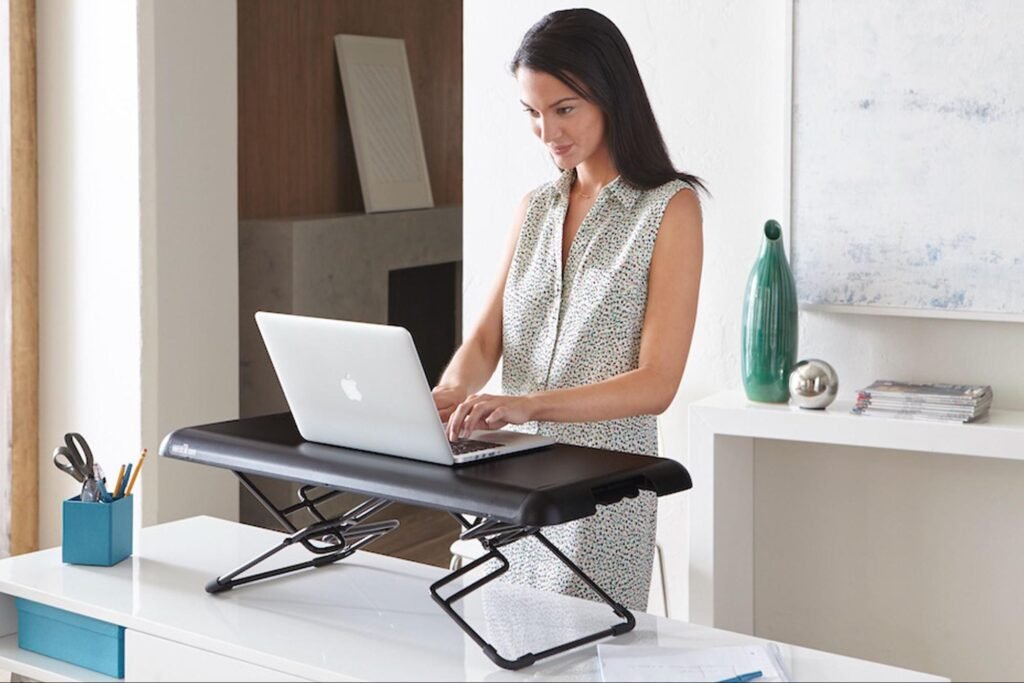
Just right for: Those who sit too long and would like to move more throughout the day.
Real standing desks cost $300–$800. But you can achieve the effect for less than $100.
What You’ll Need
- Adjustable laptop riser/converter (~$45) — goes over your existing desk, raises your laptop to standing height
- Anti-fatigue mat (~$28) — a must-have if you’re standing on hard floors
- Portable Bluetooth keyboard (~$22) — allows you to type while standing
Why It Works
This laptop riser transforms your standard desk into a standing workstation. It’s not as seamless as a motorized desk — you have to manually adjust it — but it is effective.
Standing for as little as 30–60 minutes during a workday decreases back pain and increases afternoon energy levels. The anti-fatigue mat makes standing comfortable. Without one, your feet will be hurting in an hour.
This is one of the most health-oriented setups on this list, and it’s all for under $100.
Total: ~$95
Setup #5 — The Video Call Pro ($60–$80)
Best suited for: Remote workers who are perpetually on Zoom, Teams or Google Meet.
If you’re being seen on camera every day, the setup matters. This one is going to make you look and sound like a pro — without the studio budget.
What You’ll Need
- Ring light with tripod (~$22) — provides soft, even lighting on your face
- Budget clip-on webcam (~$28) — most built-in laptop cameras are quite poor
- USB desk microphone (~$20) — a big upgrade over your laptop mic
- Virtual background stand (~$10) — a portable greenscreen or backdrop stand
Why It Works
Good lighting is the single biggest upgrade you can make for video calls. A $22 ring light will make you look like you’re in a professional studio.
The clip-on webcam offers a sharper, clearer image. Add the USB mic and your audio and video will be better than 80% of the people on the call.
The background stand is optional — but if you’re in a messy room, it immediately hides whatever is behind you.
Total: ~$80
Setup #6 — The Tiny Desk Optimizer ($40–$55)
Ideal for: Those working in small apartments, dorm rooms or other close quarters.
Every inch counts when space is tight. This arrangement gets the most out of the least amount of space.
What You’ll Need
- Wall-mounted floating shelf (~$18) — adds a second “level” to your workspace
- Vertical file organizer (~$10) — declutters your desk surface
- Cable management clips (~$6) — stick your cords along the edge of your desk
- Magnetic strip for small tools (~$8) — hang up scissors, pens, USB drives on the wall
- Compact USB charging station (~$14) — one plug charges all your devices
Why It Works
A floating shelf above your desk gives you additional real estate without hogging floor space. Keep your router, a little speaker or books up there.
Cable management clips are cheap and make you feel good. Run your cords along the back edge of your desk, and just like that, your workspace looks twice as clean.
The wall-mounted magnetic strip is a clever trick. Mount it beside your desk. Stick on pens, a small ruler, USB drives. Everything is visible and reachable.
Total: ~$56
Setup #7 — The Night Owl Setup ($55–$75)
Great for: Those who work late at night or in dimly lit rooms.
Working in a dark room is exhausting for your eyes. But harsh overhead lights are just as bad. This setup gets the lighting right.
What You’ll Need
- Smart LED light strip (~$18) — place behind your monitor for bias lighting
- Adjustable desk lamp with color temperature control (~$22) — toggle between warm and cool light
- Screen privacy filter (~$15) — guards against side glare and stops others from seeing your screen
- Blue light screen protector (~$12) — an extra layer of eye protection
Why It Works
Bias lighting — the soft glow behind your monitor — decreases eye strain significantly. Your eyes aren’t switching back and forth every couple of seconds between a bright screen and a dim room.
An adjustable desk lamp with color temperature settings allows you to match your lighting to the task at hand. Warm light for reading and writing. Cool light for focused work or spreadsheets.
The privacy filter is a bonus. It prevents people nearby from seeing your screen, and it reduces glare from windows.
Total: ~$67
Setup #8 — The Home + Work Combo ($75–$95)
Best for: People who use a single desk for personal stuff AND work and need to mentally “switch modes.”
Working and relaxing in the same place tricks your brain. This setup creates a clear divide.
What You’ll Need
- Laptop stand (~$18) — elevate work screen, lower personal setup
- Second-hand or refurbished small monitor (~$35) — dedicate one screen to work
- Desk organizer with compartments (~$14) — keep work-related items separate from personal ones
- Timer cube (~$12) — a physical Pomodoro timer to set work/break intervals
- Scented candle or diffuser (~$10) — use a specific scent only when working (scent memory is real!)
Why It Works
The second monitor is the key piece here. You turn it on when you sit down to do your work. You switch it off when work is finished. Visual cue. Brain shift.
The timer cube is an underrated tool. Set it for 25 minutes, work until the timer buzzes, then set it to 5 for a break. Physical timers beat app timers — you can’t get distracted scrolling to start one.
The scent trick may sound odd, but it works. Your brain associates certain smells with specific activities. Use that scent only when you’re working. Eventually, it becomes a trigger for focus.
Total: ~$89
Setup #9 — The Health-First Setup ($65–$85)
Great for: Those who suffer from back pain, wrist strain or fatigue after long hours working at a desk.
This one prioritizes your body. Because a setup that harms you is not productive — it’s just slow damage.
What You’ll Need
- Lumbar support pillow (~$22) — attaches to any chair to support your lower back
- Wrist rest for keyboard and mouse (~$15) — prevents carpal tunnel symptoms
- Adjustable footrest (~$18) — keeps your feet flat even in a chair that’s too high
- Posture corrector strap (~$14) — a gentle reminder to sit up straight
- Eye drops, lubricating (~$8) — for dry eyes on screen-heavy days
Why It Works
Most home office chairs are not ergonomic. The lumbar pillow fills the gap — both literally and figuratively. It supports your lower spine and relieves pressure on your hips.
Wrist rests are must-haves if you type for hours. They keep your wrists in a neutral position rather than bending upward, which causes long-term strain.
The footrest sounds minor. But if your chair is too high and your feet dangle, circulation suffers. An $18 footrest fixes that.
Total: ~$77
Setup #10 — The All-Rounder Budget Boss ($90–$100)
Best for: Someone looking to get one complete, solid setup without spending over $100.
This is the ultimate value setup. It spans every category — comfort, lighting, organization and tech — without breaking the bank.
What You’ll Need
- Laptop stand (~$18)
- Wired keyboard and mouse combo (~$16)
- LED desk lamp (~$14)
- Desk organizer (~$12)
- Noise-canceling earbuds (~$22)
- Cable ties pack (~$5)
- Sticky note multipack (~$5)
Why It Works
This setup doesn’t go deep on any one thing — it goes broad. You get good ergonomics, clean lighting, cable management, focused audio and organized storage — all in one go.
It’s the setup for someone who doesn’t know what they most need yet. It addresses every weakness a home office typically has.
Total: ~$92
All 10 Setups at a Glance
| Setup | Best For | Approx. Cost | Top Feature |
|---|---|---|---|
| No-Frills Starter Desk | First-timers | $43 | Lap desk + USB hub |
| Freelancing Pro | Creative work | $82 | Noise-canceling earbuds + stand |
| Student Power Station | Students | $64 | Monitor stand with drawer |
| Standing Desk Alternative | Back health | $95 | Laptop riser converter |
| Video Call Pro | Remote meetings | $80 | Ring light + USB mic |
| Tiny Desk Optimizer | Small spaces | $56 | Wall shelf + cable clips |
| Night Owl Setup | Late-night workers | $67 | Bias lighting + lamp |
| Home + Work Combo | Work/life balance | $89 | Second monitor + timer cube |
| Health-First Setup | Body comfort | $77 | Lumbar pillow + wrist rest |
| All-Rounder Budget Boss | General use | $92 | Full coverage setup |
Tips for Smart Shopping to Keep It Under $100
A few money-saving moves worth knowing before you buy:
Check Facebook Marketplace and Craigslist first. You’ll find monitors, chairs and desk accessories 50–80% below retail. Many are barely used.
Buy bundles when possible. A keyboard and mouse combo is always cheaper than buying them separately.
Look for open-box deals. Amazon Warehouse and Best Buy’s open-box section offer returned items at a huge discount. Most are in perfect condition.
Prioritize what hurts you most. If your back hurts, begin with the lumbar pillow. If your eyes are hurting, the lamp is where to start. Address your biggest pain point first.
Avoid buying everything at once. Build up your setup piece by piece. This lets you know what really works for you before you spend more.
For even more inspiration on designing your ideal workspace on a budget, check out Remote Work Desk Setup — a great resource packed with practical desk setup ideas for remote workers at every budget level.
Frequently Asked Questions About Budget Home Office Setups
Q: Am I really supposed to be able to build a productive home office for under $100? Yes, absolutely. The trick is knowing which items have the greatest impact. A good lamp, a laptop stand and an ergonomic seat position can change the way you feel at your desk — and none cost much.
Q: What is the single most important item to buy first? If you’re working on a laptop, invest in a laptop stand first. It lifts your screen to eye level, instantly improving posture and relieving neck strain. Pair it with a cheap keyboard, and you’re already better off than most home workers.
Q: Do cheap noise-canceling earbuds actually work? Inexpensive models from companies like Anker or EarFun are actually quite good. They won’t compete with $300 Sony earbuds, but they drown out enough ambient noise to let you concentrate. For the price, they’re one of the best investments on this list.
Q: Do I need a second monitor? Not necessarily. A second monitor helps a lot if you are multitasking or using several apps at the same time. But if you primarily do one thing at a time — like writing, coding or designing — one well-placed screen is fine.
Q: What if I don’t have a desk at home? Begin with Setup #1 — the No-Frills Starter Desk. A foldable lap desk allows you to work from a couch, bed or floor comfortably. When you’re ready, a basic folding table from IKEA or Amazon can act as a desk for $30–$50.
Q: Should I spend money on a chair vs. desk accessories? A good chair is essential for extended sessions. But if you don’t have the budget for a new chair, the Health-First Setup (#9) demonstrates how to make any chair more comfortable with a lumbar pillow, wrist rest and footrest — all for under $85 total.
Q: On a limited budget, how can I keep my setup clean and organized? Cable ties, desk pads and a basic organizer do wonders. Spend $15–$20 on organizational tools before getting to the tech stuff. A clean space is always more productive — even if nothing else has changed.
According to research published by Harvard Health, prolonged sitting without proper support is one of the leading causes of chronic back pain — making ergonomic upgrades like lumbar pillows and footrests some of the most worthwhile investments in any home office setup.
The Bottom Line — Small Budget, Big Results
You don’t need a dream setup to do your best work.
You want a setup that suits your life, your space and your real needs — not an influencer’s highlight reel.
Whether you are shopping at the $40 or $100 level, this guide gives you real, useful tools that will help. Start small. Fix what bothers you most. Build from there.
A budget home office productivity setup is no compromise. It’s a smart start.
Choose the one that applies to you, take what you need and get going.








