

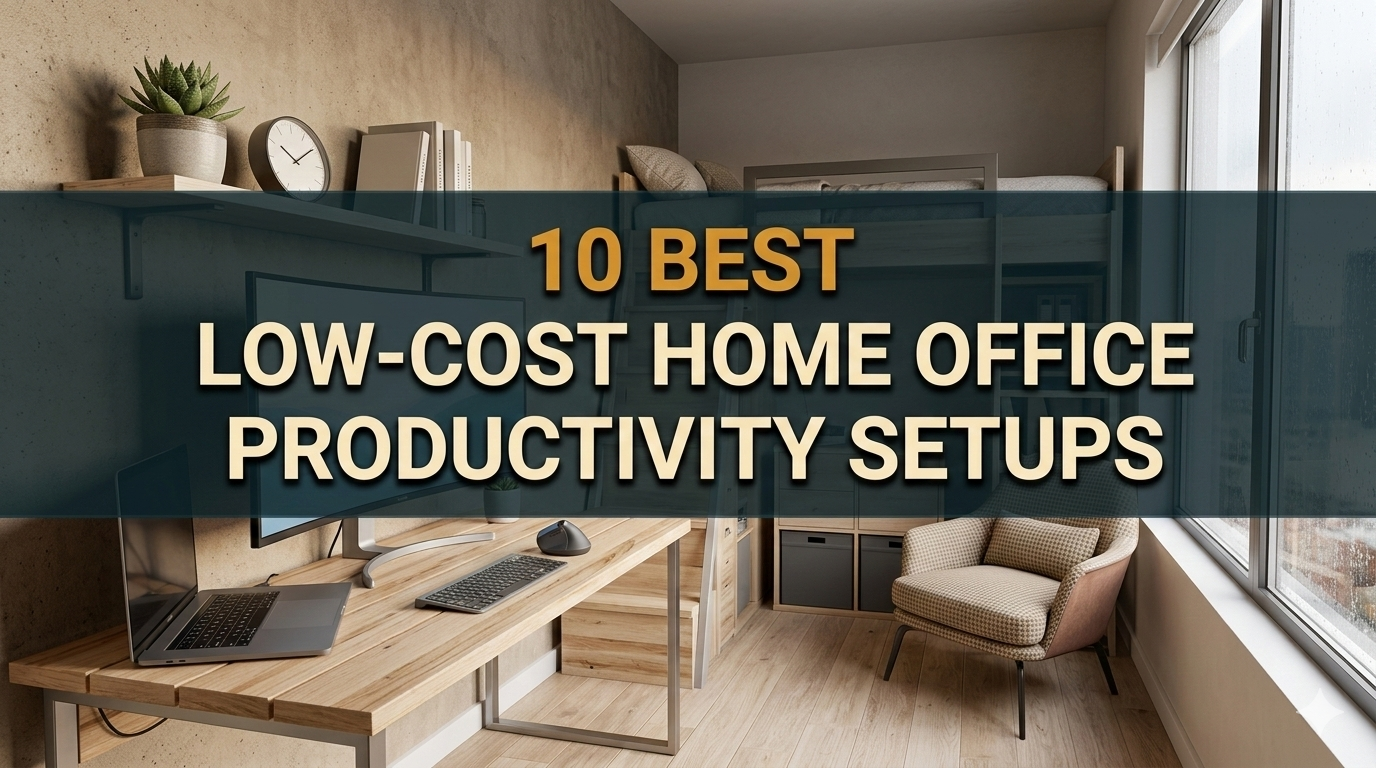
Working from home is a dream come true. No commute. No dress code. No office drama. But if you live in a small apartment or a compact house, creating an actual workspace can seem impossible — especially when finances are tight.
The good news? You don’t need a large room or a big budget to create an effective home office. With the right configuration, even a small corner can be a powerful workspace.
This guide takes you step by step through 10 productivity-ready home office configurations, all designed for small homes and on a budget. All of the ideas are practical, inexpensive, and aimed at helping you actually get work done.
Let’s get into it.
Why Your Office is More Important Than You Realize
Before we get into the setups, here’s something you might want to know.
A messy, uncomfortable workspace saps your energy. It makes focusing harder. It slows you down.
But even a basic, well-organized space — with good light and an adequate chair — can greatly enhance the amount of work you accomplish. Research on the psychology of work settings consistently shows that having dedicated areas to work helps “turn on” the part of your brain that is best suited for focused tasks.
You don’t have to spend thousands. You just have to be smart about it.
The Most Important Principles of Setting Up a Home Office
Here are some principles to consider before you choose a setup:
- Function first — a clean, ergonomic space beats a pretty one any day
- Go vertical — in narrow properties, wall space is your new best friend
- Set up your “work zone” — even a visual separation (a rug or shelf) helps to mentally separate work from rest
- Good light is essential — sunlight is free; a good desk lamp can be had for little
Now, let us take a look at the actual setups.
Setup 1: The Closet Office (Cloffice)
Best for: Those with zero extra rooms but a spare closet
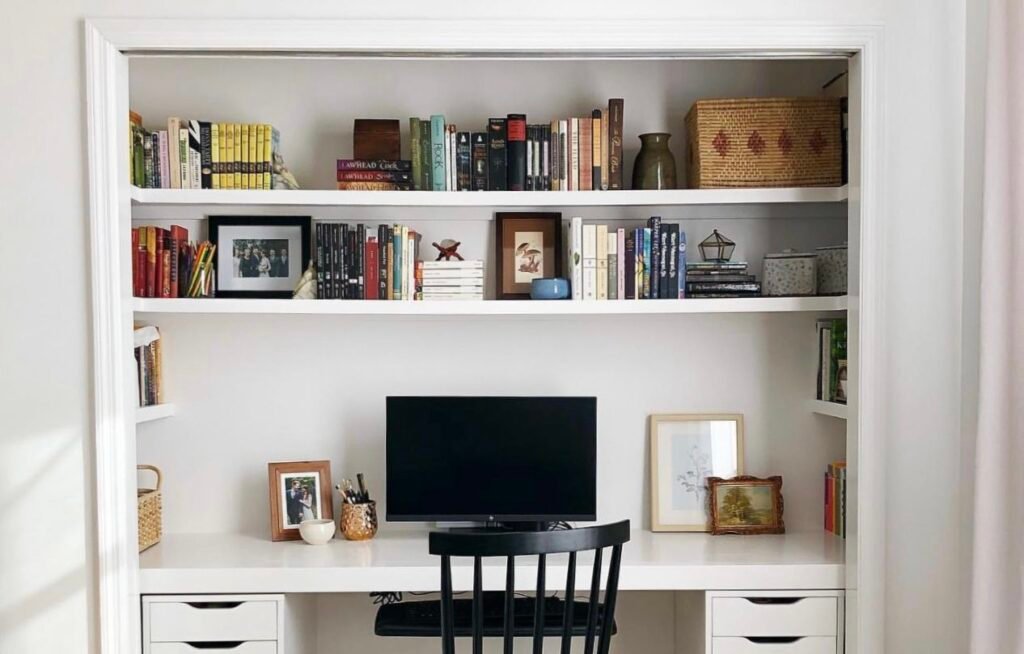
One of the hottest budget home office productivity setups these days is the cloffice — a closet turned into a mini office.
Remove the hanging rod. Add a simple floating shelf or use a plywood board as a desk. Mount a power strip inside. Place a small LED light bar on top. Done.
When the workday is finally over, you close the doors. The office disappears. Your room stays your room.
What You’ll Need
| Item | Estimated Cost |
|---|---|
| Floating shelf or plywood board | $20–$50 |
| LED light bar | $10–$20 |
| Power strip | $10–$15 |
| Small pegboard for tools | $10–$20 |
| Total | $50–$105 |
The greatest win here is psychological. When you close those closet doors at 5pm, you’re actually telling your brain that work is done. That separation is gold for mental health when working from home.
Setup 2: The Wall-Mounted Fold-Down Desk
Best for: Small studio apartments or shared living spaces
If space on the floor is your enemy, go vertical.
A fold-down wall desk sits flat on the wall until you need it, then folds down. When it folds back up, it resembles a decorative wall panel. Certain models even feature a chalkboard or whiteboard face.
Basic fold-down desks can be purchased for as little as $60–$120 on Amazon or IKEA. Or construct one yourself from a piano hinge, a piece of plywood, and two wall-mounted brackets.
Smart Add-Ons for This Setup
- A small wall-mounted shelf above the desk to put your monitor or books on
- Command hooks on the side for headphones and cables
- A standing floor lamp close by (eliminates the need for a desk lamp taking up fold-down space)
This might be the most space-efficient budget home office setup you’ll find. Ideal for those occupying less than 500 square feet.
Setup 3: The Windowsill Workstation
Best for: People who love natural light with a very wide windowsill
This is the setup that most people totally miss.
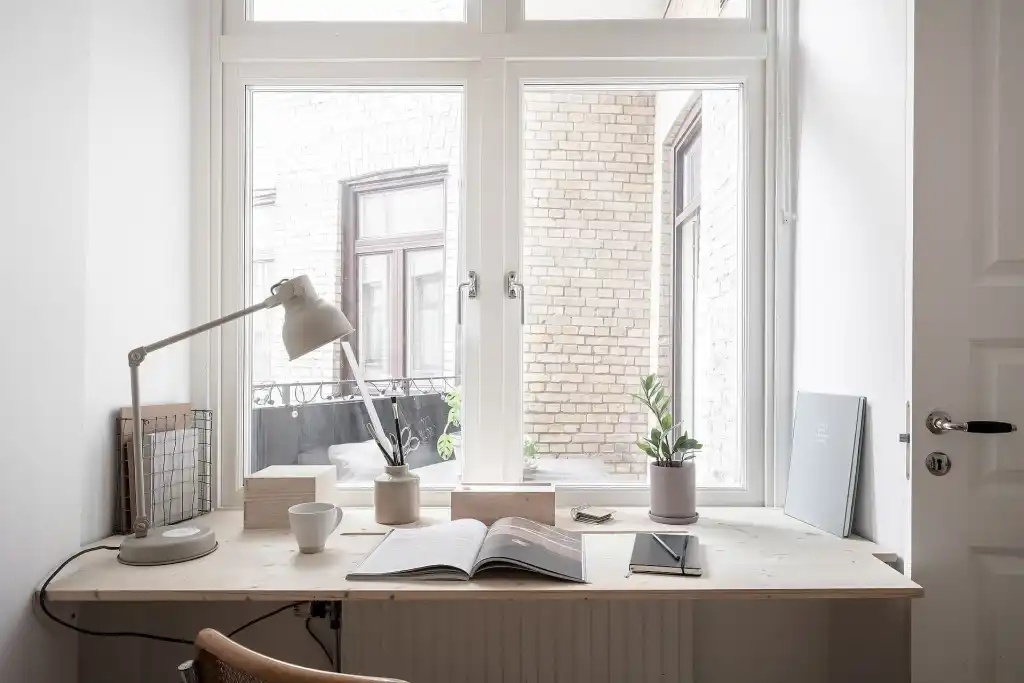
A wide windowsill — even 12 inches deep — can transform surprisingly well into a functional workspace. Add a slim laptop stand, a wireless keyboard, and a mouse. You have a workspace with natural lighting built in and a view.
Natural light isn’t just nice. It is good for your eyes, generally makes you feel better, and helps regulate your sleep — important when you work from home and most likely don’t go outside much.
What Makes This Setup Work
- A compact, adjustable laptop riser raises the screen to eye level
- A mini clip-on power strip hooks onto the edge of the windowsill
- A standing cushion or high stool adjusts your posture
Cost estimate: Less than $40 total, if you already have a laptop.
Setup 4: The Converted Dining Table Corner
Best for: People who can’t turn over a full surface to work
Not everyone can claim a whole desk. But the majority of us share a dining table — and you can very much claim a corner of that table as your desk zone.
The secret is visual organization.
Designate “your corner” with a tray, a little mat, or an organized area. When work begins, everything comes out and goes into that tray. At the end of work, it all goes back in. The table becomes once again simply a table.
Must-Have Tools for This Setup
- A desk organizer tray ($10–$15) to corral supplies
- A foldable, portable laptop stand ($20–$35)
- A mini Bluetooth keyboard and mouse combo ($25–$40)
- Cable clips to keep cords tidy ($5–$8)
Total: Around $60–$100.
This is one of the most practical budget home office productivity setups for people in actual shared living situations — like with roommates or family.
Setup 5: The Under-Staircase Office Nook
Best for: Homes or townhouses with unused stair space
Check under the stairs if you have them in your home. Seriously.
That triangular space under a staircase often goes unused, filled with boxes and clutter. With a small built-in or IKEA shelf unit, a stool or small chair, and some lighting, it turns into a remarkably cozy and focused workspace.
The nook’s somewhat enclosed nature actually aids concentration — the rest of the room is visually blocked out.
Making It Work on a Budget
| Feature | DIY/Budget Option |
|---|---|
| Desk surface | IKEA KALLAX shelf top (~$40) |
| Seating | Compact stool ($25–$50) |
| Lighting | Clip-on LED lamp ($12–$20) |
| Cable management | Velcro cable ties ($6) |
| Total | $80–$120 |
Attach a small pegboard to the slanted wall above and you have storage as well. This is one of those small home office ideas that genuinely surprises people with how productive it feels.
Setup 6: The Bedroom Corner Desk Setup
Best for: Individuals whose bedroom is the only private space available
Bedroom offices have a bad reputation. Mixing sleep and work spaces is a no-no, according to sleep experts. And they’re right — if you get it wrong.
But with the right approach, a corner desk in the bedroom can work well.
The keys are:
- Face the desk away from the bed — avoid looking at your bed while working
- Use a physical divider — a bookshelf, a curtain, or even a tall plant creates a visual boundary
- Shut down fully — turn off the screen, stash away the laptop, cover the desk at night
Budget Bedroom Office Essentials
- A basic corner desk (IKEA or Amazon, $50–$80)
- A dimmable blackout desk lamp
- A monitor privacy screen if sharing the space
- A tension rod + curtain panel to divide the workspace ($15–$25)
Keep the setup minimal. The less “work clutter” you see from bed, the better you’ll sleep.
Setup 7: The Standing Desk Converter Setup
Best for: Anyone who works long hours and wants to protect their health
Sitting all day is rough on your back, neck, and energy levels.
A standing desk converter sits on your existing desk or table and raises your monitor and keyboard to standing height. A good one will run you $50–$80 or so.
Pair this with an anti-fatigue mat ($20–$30) and you’ll have a health-friendly setup for under $110 total.
Standing vs. Sitting: Key Comparisons at a Glance
| Sitting All Day | Standing + Sitting Mix | |
|---|---|---|
| Back pain risk | High | Lower |
| Energy levels | Often drops mid-afternoon | More consistent |
| Calorie burn | Low | Slightly higher |
| Productivity | Can drop with fatigue | Generally maintained |
The sweet spot most productivity experts recommend is alternating between sitting and standing — about 30–45 minutes each.
This is one of those budget home office setups where spending a little more upfront saves you a lot in back pain and medical bills later.
Setup 8: The Pegboard Productivity Wall
Best for: Visual thinkers and people who want tools at their fingertips
The pegboard is one of the most underrated tools you can use in a small home office.
For about $15–$25, put up a 2×4 foot pegboard above your desk. Add hooks, small shelves, bins, and cable organizers. Suddenly the surface of your desk is cleared — and everything you need is right in front of you, off the desk.
For more inspiration on organizing a compact workspace, check out Remote Work Desk Setup — a great resource packed with practical desk setup ideas for remote workers.
What to Hang on Your Pegboard
- Headphones hook
- Small succulent plant in a hanging pot (for mental health!)
- Notepad and pen holder
- Small whiteboard or corkboard section
- USB hub and cable management clips
- Sticky notes zone
There’s a genuine visual organizing effect to a pegboard. When everything has its place, you spend less time searching for things and more time actually doing work.
Cost for a full pegboard system: $25–$55, depending on accessories.
Setup 9: The All-in-One Mobile Cart Office
Best for: Those who need to move their workspace around the home
Sometimes you need flexibility. Perhaps the light is better in the morning in the living room. Maybe you need silence in the bedroom in the afternoon.
A rolling utility cart — such as the popular IKEA RÅSKOG cart — becomes a full-fledged mobile office station.
Use the shelves to hold:
- Your laptop
- A small Bluetooth speaker
- Notebooks and pens
- A portable charger or mini power strip
- Headphones
Roll it wherever you need it. When finished, roll it into a closet.
Mobile Cart Setup Budget
| Item | Cost |
|---|---|
| IKEA RÅSKOG cart (or similar) | $30–$40 |
| Portable laptop stand | $20–$30 |
| Portable charger/battery pack | $20–$35 |
| Wireless keyboard + mouse | $25–$40 |
| Organizer bins for cart | $10–$15 |
| Total | $105–$160 |
This setup is ideal for renters who aren’t allowed to install shelves or drill into walls. It’s also great for parents who need to follow their children around the house while still staying “at work.”
Setup 10: The Dual-Purpose Bookshelf Desk
Best for: Book lovers and those who need storage + workspace combined
A deep bookshelf — particularly a wide model like IKEA BILLY ($50–$80) — can do double duty as storage and a small desk surface.
Clear the second or third shelf down from the top. That becomes your workspace. The shelves above hold books and decorative items. The shelves below hold office supplies, files, and equipment.
Add a little cushioned stool and you have a fully functional, all-budget home office that looks like intentional interior design — not a desperate compromise.
Bookshelf Desk Tips
- Use cable clips along the back inner edge to manage cords
- Place a thin desk pad on your working shelf to protect it and make it feel more like a real desk
- Use labeled bins on lower shelves for organized storage
This setup also tends to photograph quite well — useful if that matters for your social media presence or video calls.
All 10 Setups Side by Side
| Setup | Estimated Cost | Best For | Space Needed |
|---|---|---|---|
| Cloffice | $50–$105 | Privacy seekers | Spare closet |
| Fold-down wall desk | $60–$120 | Studio apartments | Wall space only |
| Windowsill workstation | Under $40 | Natural light lovers | Wide windowsill |
| Dining table corner | $60–$100 | Shared living spaces | Corner of table |
| Under-staircase nook | $80–$120 | Houses with stairs | Stair space |
| Bedroom corner desk | $65–$105 | Private room workers | Bedroom corner |
| Standing desk converter | $70–$110 | Long-hour workers | Existing desk |
| Pegboard wall | $25–$55 | Visual thinkers | Wall above desk |
| Mobile cart office | $105–$160 | Flexible workers | Cart + open space |
| Bookshelf desk | $50–$80 | Book/storage lovers | Bookshelf space |
How to Boost Productivity in Any Small Home Office
Whatever setup you choose, these habits will help in a big way:
1. Set a daily start time and end time. Your brain needs routine. A regular schedule allows you to mentally “arrive at work” and “leave work” — even when both happen in the same building.
2. Buy a decent chair before anything else. Back pain is a productivity killer. A used ergonomic chair from Facebook Marketplace or a thrift store beats a brand new cheap one any day. According to Harvard Health, good posture and proper seating support can significantly reduce chronic back and neck pain.
3. Use noise-canceling headphones. This is one of the best investments you can make in small homes where other people are around. Budget models such as the Anker Soundcore Q20s go for less than $30.
4. Clean your workspace every night. Take a few moments at the end of each day to organize. Today’s you will be grateful to tomorrow’s you.
5. Add one plant. Studies have found even a single small plant in a workspace can help reduce stress and allow for better focus. A pothos or snake plant is nearly indestructible and costs $5–$10.
FAQs About Budget Home Office Setups for Small Homes
Q: What is the basic budget needed to create an effective home office? With a laptop on hand, you can create a functioning budget home office for as little as $40–$60. The windowsill workstation and dining table corner setups are the most budget-friendly options.
Q: Should I buy a secondhand desk or chair? Absolutely. Ergonomic chairs and sturdy desks pop up on Facebook Marketplace, Craigslist, and in thrift stores at 70–80% off retail all the time. Before you buy, always check for wobble, stains, and structural integrity.
Q: How can I minimize noise in a small home office? Start with budget noise-canceling headphones. You can also throw down a small rug (it absorbs sound), run a white noise app in the background, and use foam seals on gaps around doors. These changes cost very little.
Q: Can I deduct my home office on taxes? In many countries, the U.S. included, you might be able to deduct a portion of your home office if you are self-employed or a freelancer and use that space regularly and exclusively for work. Check with a tax professional about your specific situation.
Q: What is the most important upgrade for a small home office? Lighting. Good lighting reduces eye strain and improves your mood — not to mention makes you look professional on video calls. An inexpensive LED desk lamp with adjustable color temperature ($15–$30) makes an immediate difference.
Q: How do I keep a small home office organized with limited storage? Go vertical. Pegboards, floating wall shelves, and hanging organizers free up desk space without taking up extra floor space. Labeling everything also helps — it takes five seconds to label a bin and saves you minutes every single day.
Q: Are standing desks actually worth it for a home office? Yes, for everyone putting in more than 4–5 hours a day. You don’t need a fancy motorized desk. A standing desk converter ($50–$80), placed on your existing surface, provides all the advantages at a fraction of the price.
Wrapping It All Up
Creating a productive workspace in a small home is not about having the perfect room or a big budget. It’s about making intentional use of what you have.
Whether you’re converting a closet, folding down a wall desk, or just claiming an undesignated corner of your dining table — the goal is the same: a defined, organized space that gets you in the zone.
Start small. Choose the configuration that best matches your space and budget. Add one piece at a time. You’ll be amazed at how much a little structure can change the way you work.
The best budget home office productivity setup is the one you’ll actually use every single day. So choose one, build it, and get to work.
Keywords: budget home office productivity setups, budget home office setup, small home office ideas, home office productivity, budget home office






